

What Are AI Headshots and How Do They Work?
Learn what AI headshots are, how AI headshot generators work, which photos to upload, and how to create realistic professional portraits from selfies.


What Are AI Headshots and How Do They Work?
A straightforward guide to how AI headshot generators turn everyday selfies into polished professional portraits and what to know before creating yours.
A professional headshot used to require finding a photographer, coordinating schedules, choosing an outfit, traveling to a studio and hoping you felt comfortable in front of the camera.
Today, there is another option.
An AI headshot generator can create professional-looking portraits from ordinary photos you already have on your phone.
You select your preferred outfits and backgrounds, upload several recent, clear photos, and receive a collection of newly generated professional headshots.
The process is convenient, but it can also feel slightly mysterious. Is the software simply editing your selfies? Is it creating an entirely new face? Will the finished images actually look like you?
This guide explains what AI headshots are, how they work, where they can be used and what separates a convincing professional portrait from an obviously AI-generated image.
In this guide:
- What an AI headshot is
- How AI headshot generators work
- How AI headshots differ from filters and retouching
- What photos you should upload
- What makes an AI headshot look realistic
- AI headshots versus traditional photography
- Where professional AI headshots can be used
- Privacy and authenticity considerations
What is an AI headshot?
An AI headshot is a newly generated professional portrait created using artificial intelligence and reference photos of a real person.
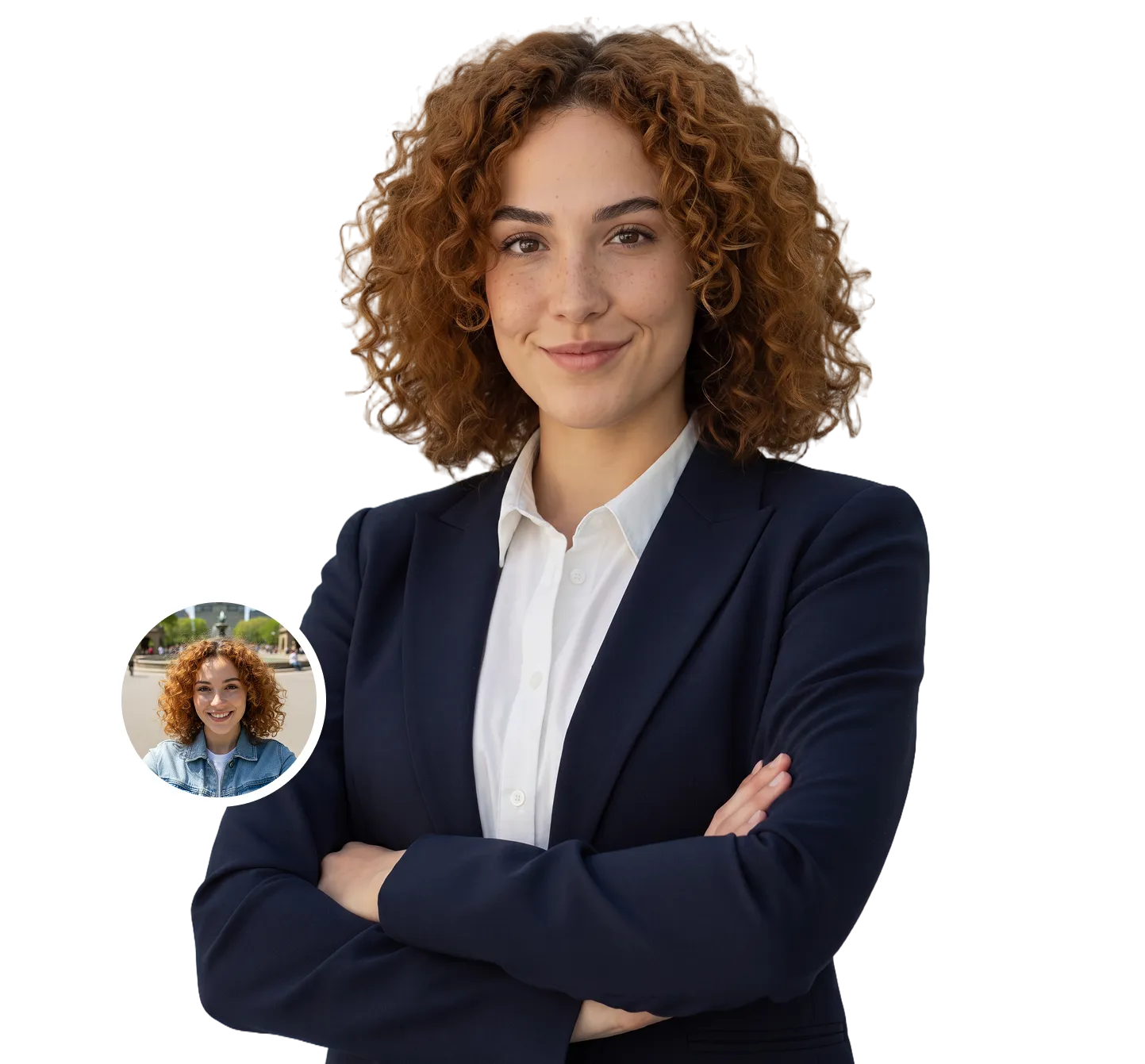
Instead of photographing you in a studio, an AI headshot generator uses a number of uploaded images to understand what you look like. It then creates new portraits that combine your recognizable features with professional lighting, clothing, backgrounds and composition.
The result may look as though it came from a traditional photoshoot, even though you never stood in front of a studio camera.
AI headshots are commonly used for:
- LinkedIn profiles
- CVs and résumés
- Company websites
- Speaker biographies
- Email signatures
- Professional directories
- Personal websites
- Press and media profiles
- Business cards
- Internal company platforms
The most important distinction is that an AI headshot is not simply one of your selfies with the background removed. It is generally a new image created using your uploaded photos as references.
Simple definition: An AI headshot is a professional portrait generated from your existing photos without requiring a traditional photoshoot.
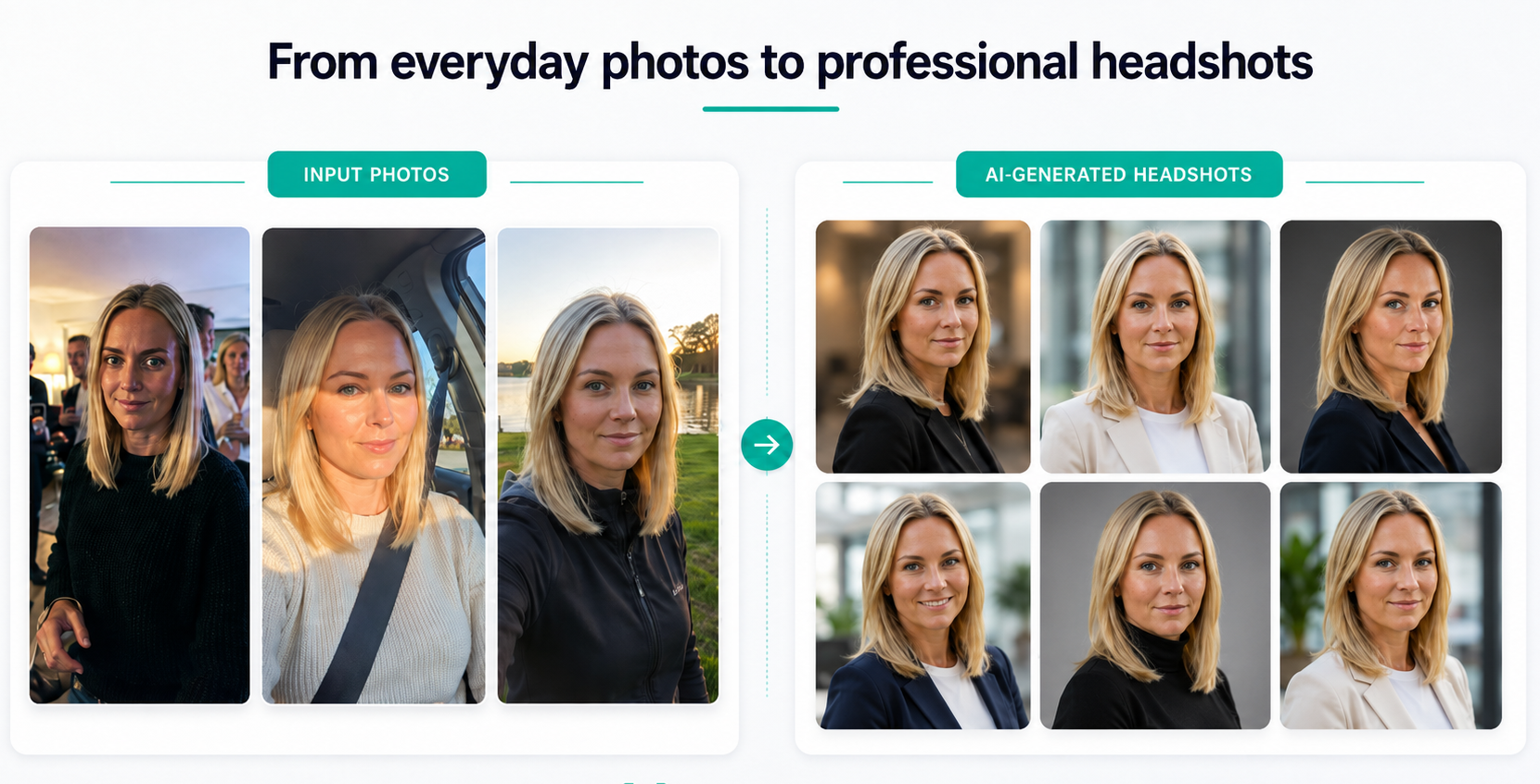
How do AI headshot generators work?
Although the technology behind AI image generation is sophisticated, creating professional headshots with AI headshot gerenerators such as HeadshotHQ would involve a few simple steps.
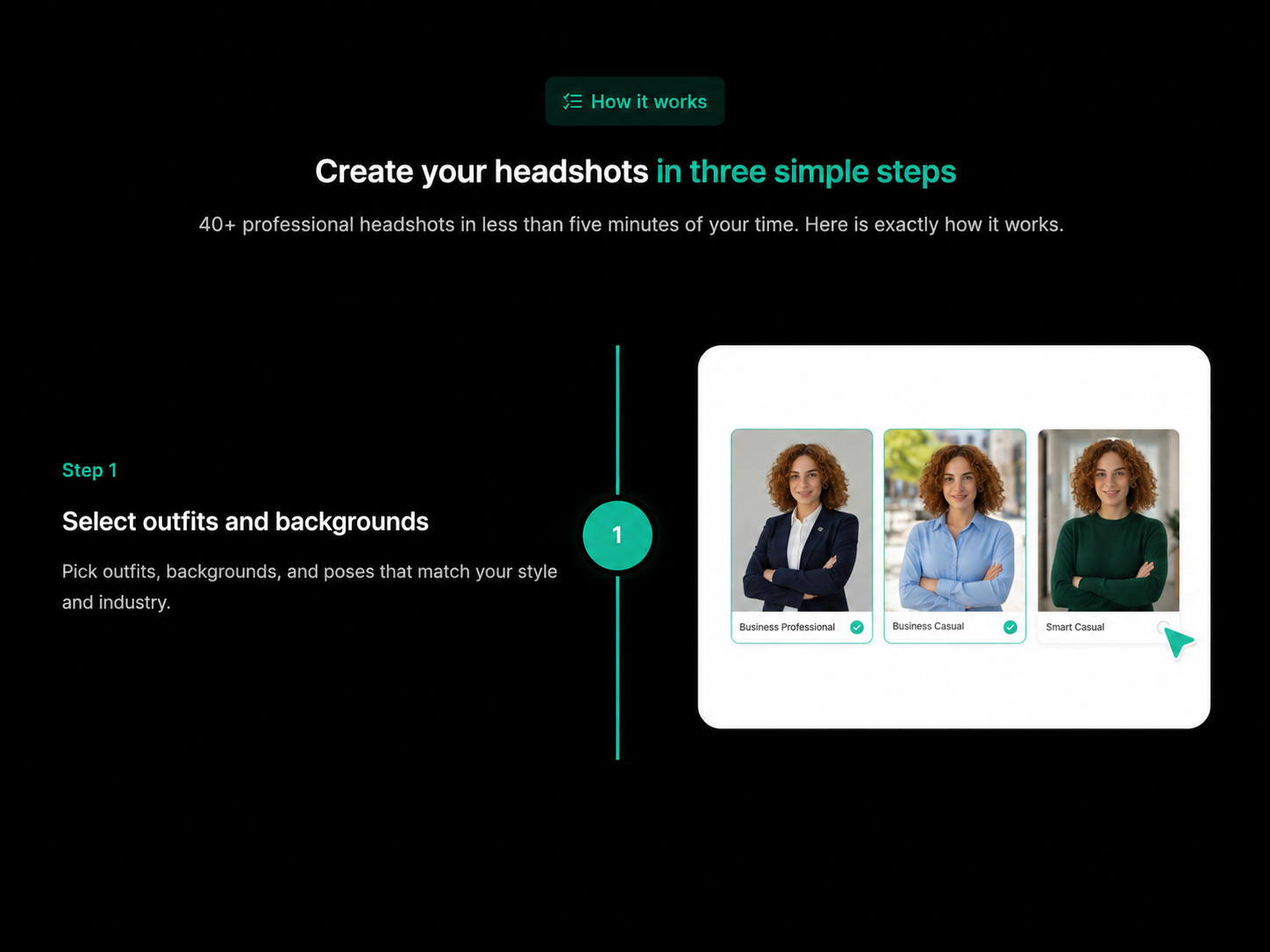
1. Select your outfits and backgrounds
Choose the professional styles you want to create.
Your selections help define the overall look of the finished portraits, including the type of clothing and setting you would like to appear in. Depending on your profession, personal brand and where you plan to use the images, you might prefer:
- Formal corporate clothing
- Business-casual outfits
- Clean studio backgrounds
- Modern office settings
- A polished executive style
- A warmer, more approachable presentation
A lawyer may choose a more formal visual direction, while a realtor, consultant or startup founder may prefer something slightly more relaxed and approachable.
Because the outfits and backgrounds are generated as part of the process, you do not need to wear professional clothing or arrange a suitable setting when taking your source photos.
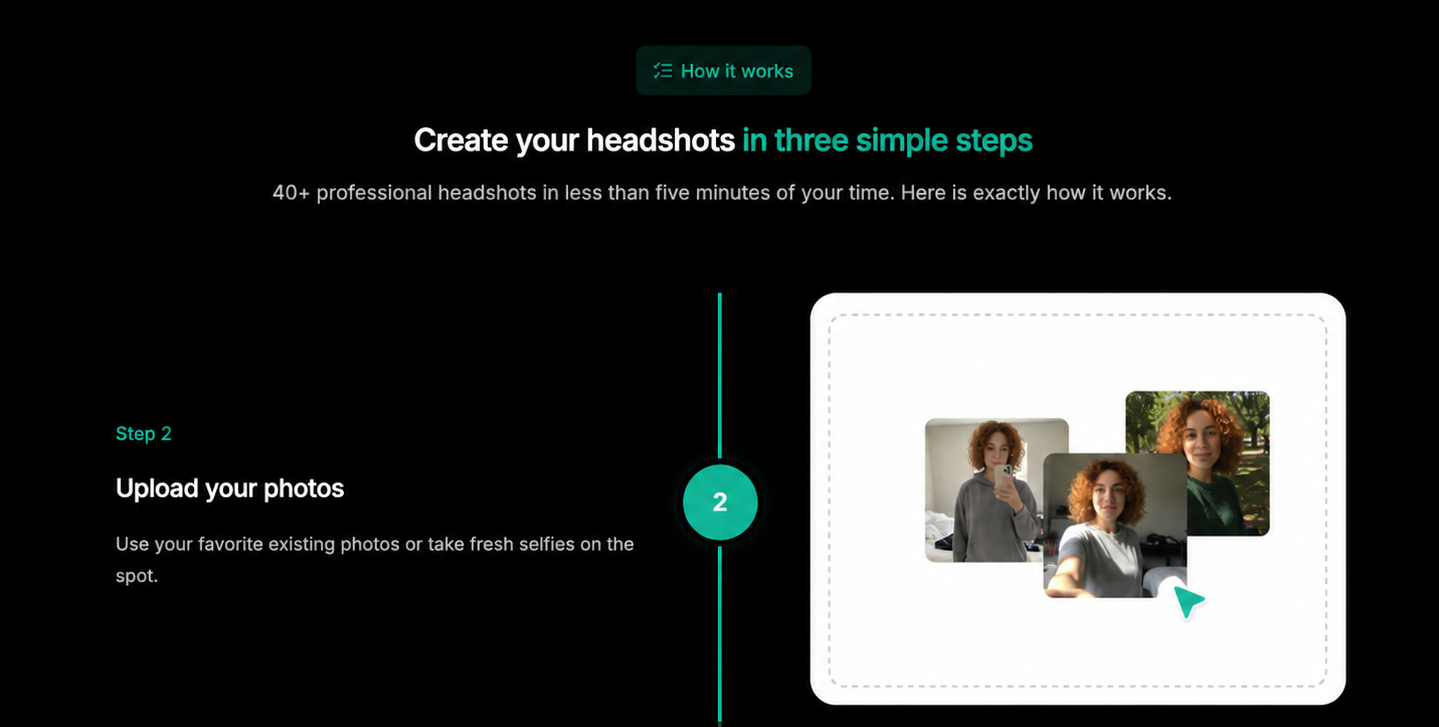
2. Upload your photos
Next, upload a selection of recent, clear photos that accurately show what you currently look like.
These do not need to be professional photographs. Everyday smartphone photos and selfies can work well, provided they are:
- Clear and in focus
- Taken in good lighting
- Free from heavy filters
- Recent enough to reflect your current appearance
- Varied in angle and expression
- Unobstructed by sunglasses, hats or other objects
Several photos help the AI understand the features that make you recognizable, including your facial structure, hair, skin tone, eye shape, jawline and usual expressions.
One photograph may contain an unusual angle, shadow or camera distortion. A varied set of reference photos gives the system a more complete and reliable understanding of your appearance.
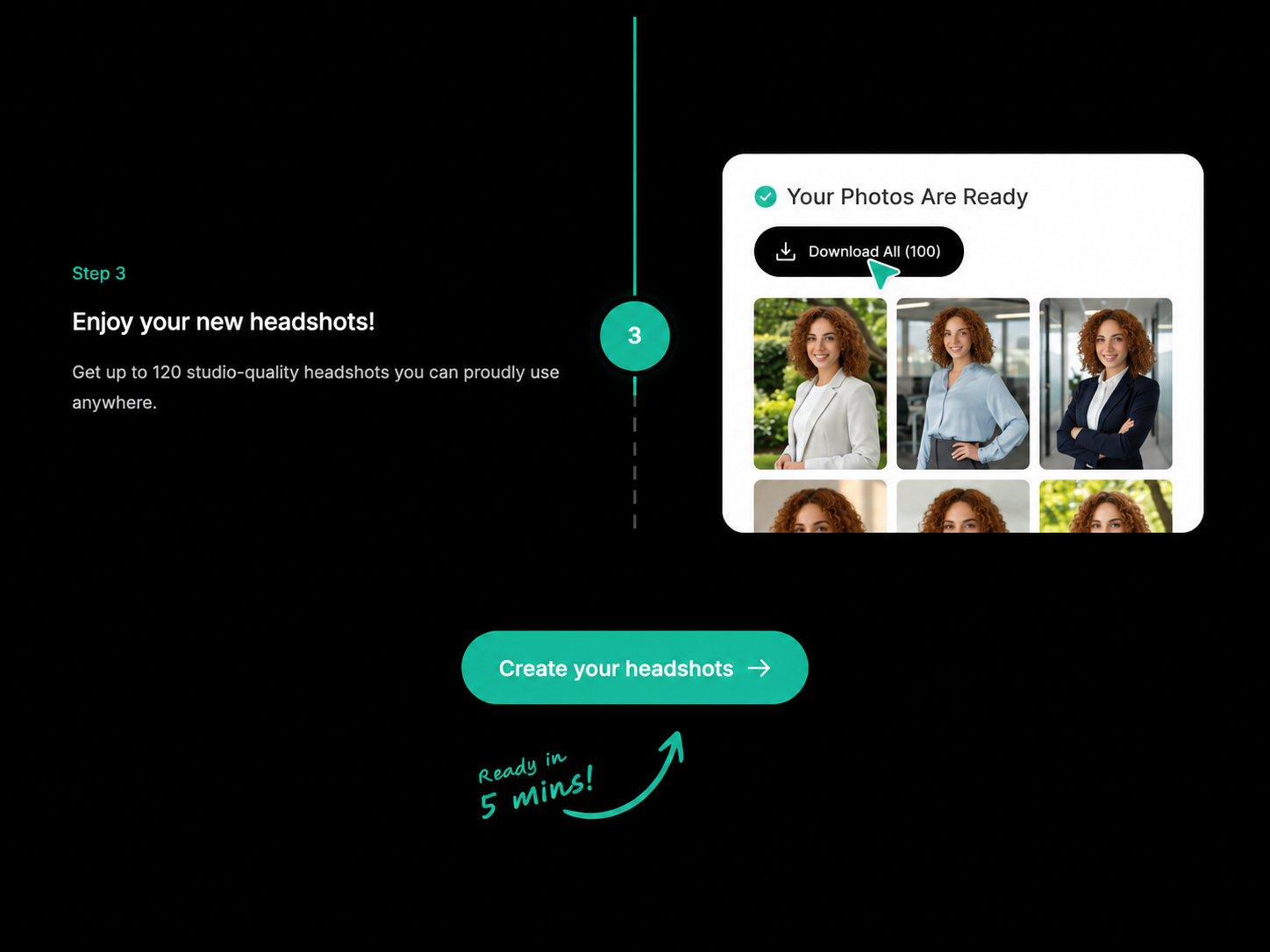
3. Enjoy your new headshots
The AI headshot generator then uses your uploaded photos and selected styles to generate a collection of new professional portraits.
The finished images combine your recognizable features with the professional outfits, backgrounds, lighting and composition you selected. You can review the results and choose the headshots that best represent you.
Your chosen images can then be used across:
- CVs and résumés
- Company websites
- Professional directories
- Speaker profiles
- Email signatures
- Personal websites
- Business and social-media profiles
The goal is not to transform you into someone else. A strong AI headshot should look like a polished and professionally photographed version of you.
What happens behind the scenes?
While the customer journey is simple, the underlying technology performs a more complex task.
The AI analyses the reference photos to identify visual patterns associated with your appearance. It then uses those references, together with your selected outfits and backgrounds, to create entirely new portraits.
Many contemporary image-generation systems use a process known as diffusion. In simplified terms, a diffusion model begins with something resembling random visual noise and progressively refines it until a coherent image appears. The reference photos and selected style guide the generation process.
The resulting headshots are therefore newly generated images rather than existing selfies with a filter or background replacement applied.
A successful result should combine:
- A recognizable likeness
- Consistent facial proportions
- Natural-looking skin and hair
- Realistic professional clothing
- Appropriate lighting
- Clean backgrounds
- A convincing professional composition
Are AI headshots just filters?
No. A filter modifies an existing photograph.
For example, a filter may:
- Smooth the skin
- Adjust the color
- Blur the background
- Increase brightness
- Add a visual effect
An AI headshot generator usually goes much further. It creates a new portrait based on your appearance, placing you in a setting, outfit and lighting arrangement that may not have existed in any of the original photos.
| Photo filter | AI headshot generator |
| ➖Changes an existing image | ✅ Creates a new image |
| ➖Keeps the original clothing and pose | ✅ Can generate new clothing and composition |
| ➖Usually works from one photo | ✅ Typically uses several reference photos |
| ➖Applies a fixed visual effect | ✅ Generates multiple distinct portraits |
| ➖Limited control over professional style | ✅ Offers different outfits and backgrounds |
This is why the quality of an AI headshot depends on more than simple image editing. The system must generate something new while preserving enough of your real appearance to remain believable.
What photos should you upload for AI headshots?
You do not need studio-quality source images, but the AI still needs to see you clearly.
The easiest way to think about it is this:
Your uploaded photos do not need to look professional. They do need to look like you.
Choose photos that are:
- Recent
- Clear and in focus
- Well lit
- Taken from more than one angle
- Free from heavy filters
- Representative of your current hairstyle and appearance
- Large enough to show your facial features
- Varied in expression and framing
Avoid photos that are:
- Blurry or heavily compressed
- Very dark or overexposed
- Covered by sunglasses, hats or large accessories
- Taken from extreme angles
- Heavily filtered or retouched
- Several years old
- Cropped from a distant group photo
- Obscured by hair, hands or other objects
- Inconsistent with how you currently look
You can upload casual selfies. You do not need to dress professionally for them because the final outfits are generated separately.
However, the source photos should still give the system accurate information. If your face is unclear in most uploads, the final portraits are more likely to contain inconsistencies.
What makes an AI headshot look realistic?
A polished image is not automatically a convincing image.
Some AI portraits look attractive at first glance but begin to feel unnatural when viewed more closely. The person may look overly perfected, the expression may feel stiff, or small facial details may change between images.
A realistic AI headshot should pass a more important test:
Would someone who knows you recognize you immediately?
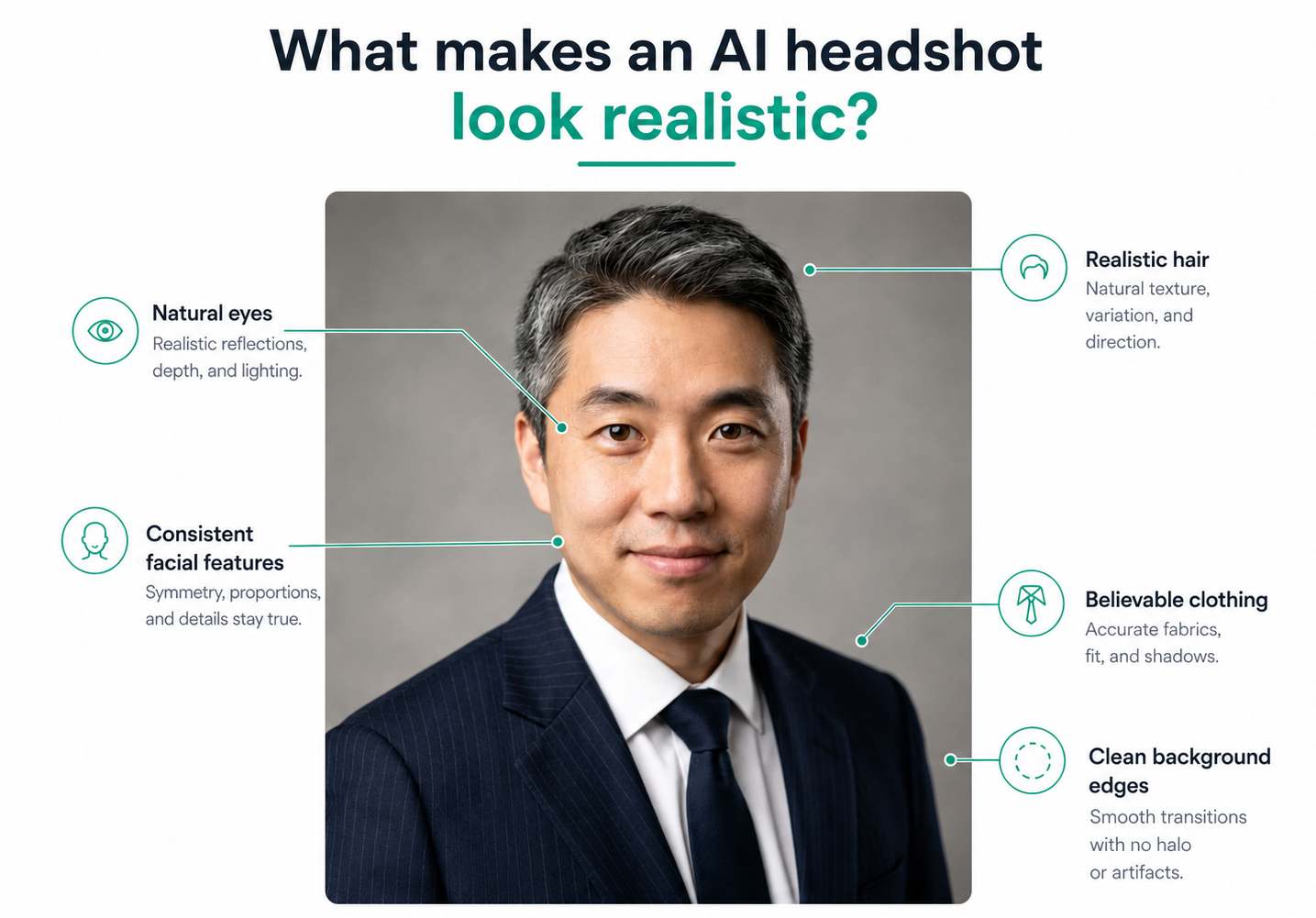
The strongest AI headshots usually have:
Accurate facial proportions
The shape of your eyes, nose, mouth and face should remain consistent with your real appearance.
Natural skin texture
Professional lighting can be flattering without removing every line, pore or individual feature. Skin that appears completely smooth may make an otherwise good image look artificial.
Consistent hair
Hair is one of the areas where image generators can struggle. Look carefully at the hairline, strands around the face and the way hair connects to the background.
Realistic eyes and teeth
Small irregularities around pupils, eyelashes and teeth can reveal that an image was generated. Review these areas before choosing your final portrait.
Believable clothing
Check collars, lapels, buttons, jewellery and the edges of the outfit. Professional clothing should look structured rather than melted, duplicated or asymmetrical.
A natural expression
The most effective professional headshots generally look confident and approachable rather than dramatically posed. The expression should suit both your personality and your profession.
Appropriate resemblance
The strongest result is not necessarily the most glamorous one. It is the image that looks like a polished, professionally photographed version of you.
AI headshots versus traditional photography
AI headshots and traditional photography can both produce strong professional portraits, but they offer different experiences.
| Consideration | AI headshots | Traditional photoshoot |
| Location | Completed online from home | Usually requires a studio or arranged location |
| Scheduling | No appointment necessary | Depends on your and photographer’s availability |
| Input | Existing selfies and photos | You attend and pose for the camera |
| Clothing options | Multiple generated outfits may be available | Limited to what you bring or change into |
| Backgrounds | Several generated settings can be offered | Depends on the studio and location |
| Number of styles | Multiple variations from one process | Usually determined during the session |
| Creative direction | Guided through the platform | Provided directly by a photographer |
| Human interaction | Minimal | Photographer guides pose and expression |
| Best suited to | Convenient professional profile updates | Bespoke, editorial or highly directed portraits |
Neither approach is automatically right for everyone.
A traditional photographer may be preferable when you need:
- A highly customized creative concept
- Editorial or publication photography
- Full-body corporate images
- Environmental portraits at a specific location
- Extensive human art direction
- Photography for a major brand campaign
- Images documenting a real event or workplace
- A bespoke experience and are comfortable paying more
An AI headshot generator may be preferable when you want:
- A professional profile picture quickly
- Several outfit and background options
- An updated LinkedIn photo
- A convenient alternative to visiting a studio
- A consistent set of portraits for different platforms
- A professional result without posing for a photographer
- A more affordable option with multiple professional results
Are AI headshots suitable for LinkedIn?
Yes, provided the image looks like you and presents you accurately.
A LinkedIn profile picture does not need to document the exact room, clothing or lighting present when the image was created. Professional photographs already involve choices around wardrobe, lighting, backgrounds, lenses and retouching.
The more useful question is whether the final headshot is:
- Recognizable
- Current
- Professionally appropriate
- Realistic
- Consistent with how you appear in person
Avoid selecting an image that changes your age, facial structure, hair or appearance so significantly that colleagues or recruiters would struggle to recognize you.
The objective is to present your best professional self, not a different person.
Who can benefit from an AI headshot?
AI headshots can be useful across many roles and career stages.
Job seekers
A polished profile picture can support a consistent professional presence across LinkedIn, application platforms and a personal website.
Executives and founders
Leaders often need images for company biographies, investor presentations, speaking engagements, press materials and social profiles.
Realtors
Real-estate professionals use their headshots across listings, agency websites, social media, business cards and marketing materials.
Lawyers and consultants
Professionals working in trust-based services often need portraits that communicate confidence, credibility and approachability.
Doctors and healthcare professionals
Healthcare headshots may be used on clinic websites, professional directories, research profiles and conference materials.
Academics and researchers
Faculty pages, publication biographies, university profiles and event programs frequently require a current professional image.
Freelancers and independent professionals
A strong headshot can help create consistency across portfolios, marketplace profiles, social platforms and client-facing materials.
Remote and distributed teams
AI-generated headshots can also help businesses achieve a more consistent visual style when employees work in different locations and cannot attend the same photography session.
Are AI headshots authentic?
This is one of the most common concerns surrounding AI-generated professional photos.
The answer depends largely on how the technology is used.
Traditional professional photography already presents people intentionally. A photographer selects the lighting, pose, lens, background and final edited images. AI headshots perform a similar presentation function through a different process.
The result becomes misleading when it materially changes who the person is.
For example, an AI headshot may feel inauthentic if it:
- Significantly changes facial structure
- Makes the person appear much younger or older
- Alters body shape substantially
- Adds professional credentials or uniforms the person does not have
- Creates an unrealistic or deceptive work setting
- Produces a face that no longer resembles the user
A responsible AI headshot should enhance presentation while preserving identity.
You should look like yourself; just on a particularly good professional-photo day.
Are AI headshots safe?
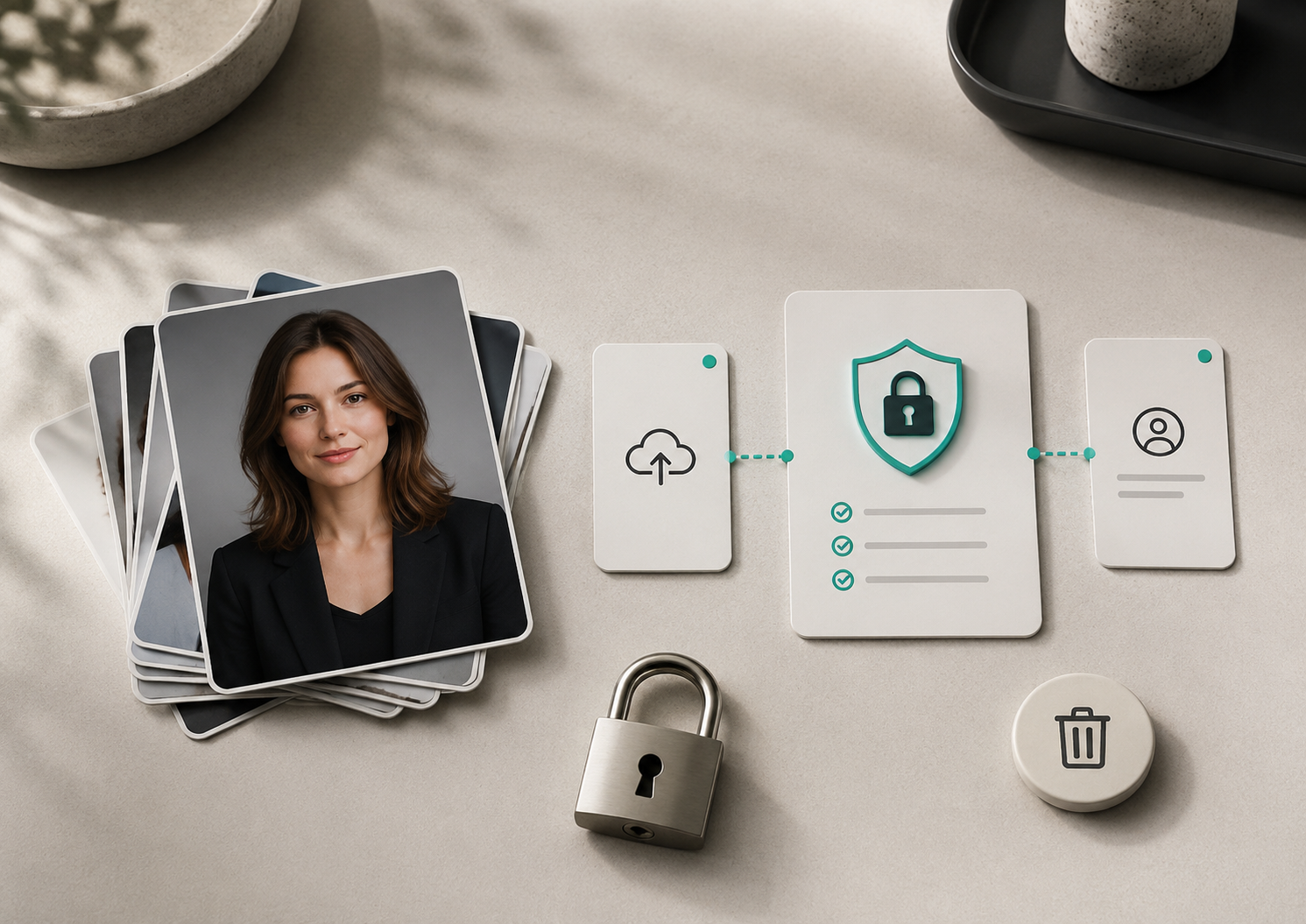
Using an AI headshot service requires uploading personal images, so privacy should be part of the decision.
Before choosing a provider, review:
- How uploaded images are stored
- How long source and generated photos are retained
- Whether users can delete their data
- Whether images are used to train other models
- Whether information is shared with third parties
- Which rights you receive to the generated images
- Whether the provider publishes clear privacy and security terms
Do not assume every image-generation service handles personal photos in the same way.
The quality of the portraits matters, but so do the policies behind the product.
How to choose a good AI headshot generator
When comparing AI headshot services, look beyond the most impressive examples on the homepage.
Consider the complete experience.
1. Likeness
Do the generated people look like recognizable, natural versions of the users or like models with vaguely similar features?
2. Input guidance
Does the platform clearly explain which photos to upload and which ones to avoid?
3. Professional style choices
Can you select outfits and backgrounds suitable for your role, industry and intended use?
4. Variety
Does the service generate enough meaningful alternatives, or are the results minor variations of the same image?
5. Realism
Review skin texture, hair, eyes, teeth, clothing and background details carefully.
6. Privacy
Check data retention, deletion options, image usage and the provider’s privacy terms.
7. Pricing transparency
You should know what you are purchasing, what is included and whether there are additional charges.
8. Refund or satisfaction terms
Read the applicable conditions before paying, particularly where results depend on the quality of uploaded photos.
How HeadshotHQ creates professional AI headshots
HeadshotHQ is designed specifically for people who want professional portraits without arranging a traditional photoshoot.
The process involves three simple steps:
Select your outfits and backgrounds
Choose the professional clothing, settings and visual styles that best suit your role, personal brand and intended use.
Upload your photos
Provide recent, clear images that accurately show your current appearance from a variety of suitable angles.
Enjoy your new headshots
HeadshotHQ generates a collection of professional portraits for you to review and use across LinkedIn, CVs, company websites, speaker profiles and other professional channels.
Share this article