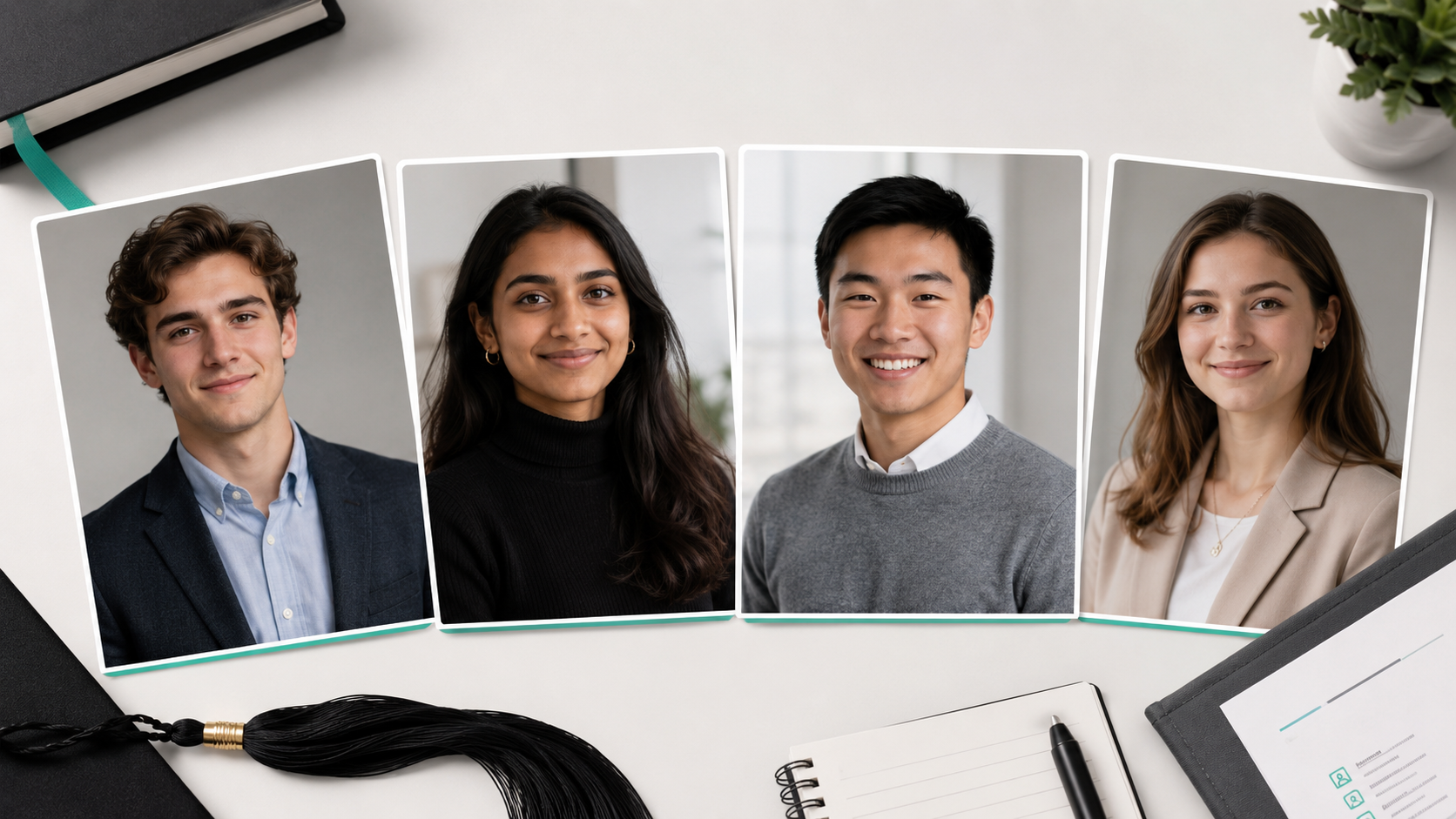


LinkedIn Headshots 2026: Sizes, Tips and Examples
Create a professional LinkedIn headshot in 2026 with the right size, crop, background, outfit, and expression. Compare DIY, photography, and AI options.


LinkedIn Headshots 2026: Sizes, Tips and Examples
A complete 2026 guide to choosing or creating a professional LinkedIn headshot, covering photo size, framing, backgrounds, clothing, expressions, common mistakes, and AI-generated alternatives.
Your LinkedIn headshot occupies only a small circle on the screen, but it does a considerable amount of work.
Before someone reads your experience, scans your qualifications, or opens your portfolio, they see your face. A strong LinkedIn profile picture helps you appear recognizable, credible, and prepared. A weak one can make an otherwise impressive profile feel unfinished.
LinkedIn describes your profile as a professional landing page and recommends adding a professional profile photo to improve credibility and visibility. Its current guidance says members with a profile photo can receive up to twice as many profile views as those without one.
The best LinkedIn headshots in 2026 are not necessarily the most formal or heavily polished. They are current, clear, professionally appropriate, and recognizably you.
This guide explains how to choose or create one.
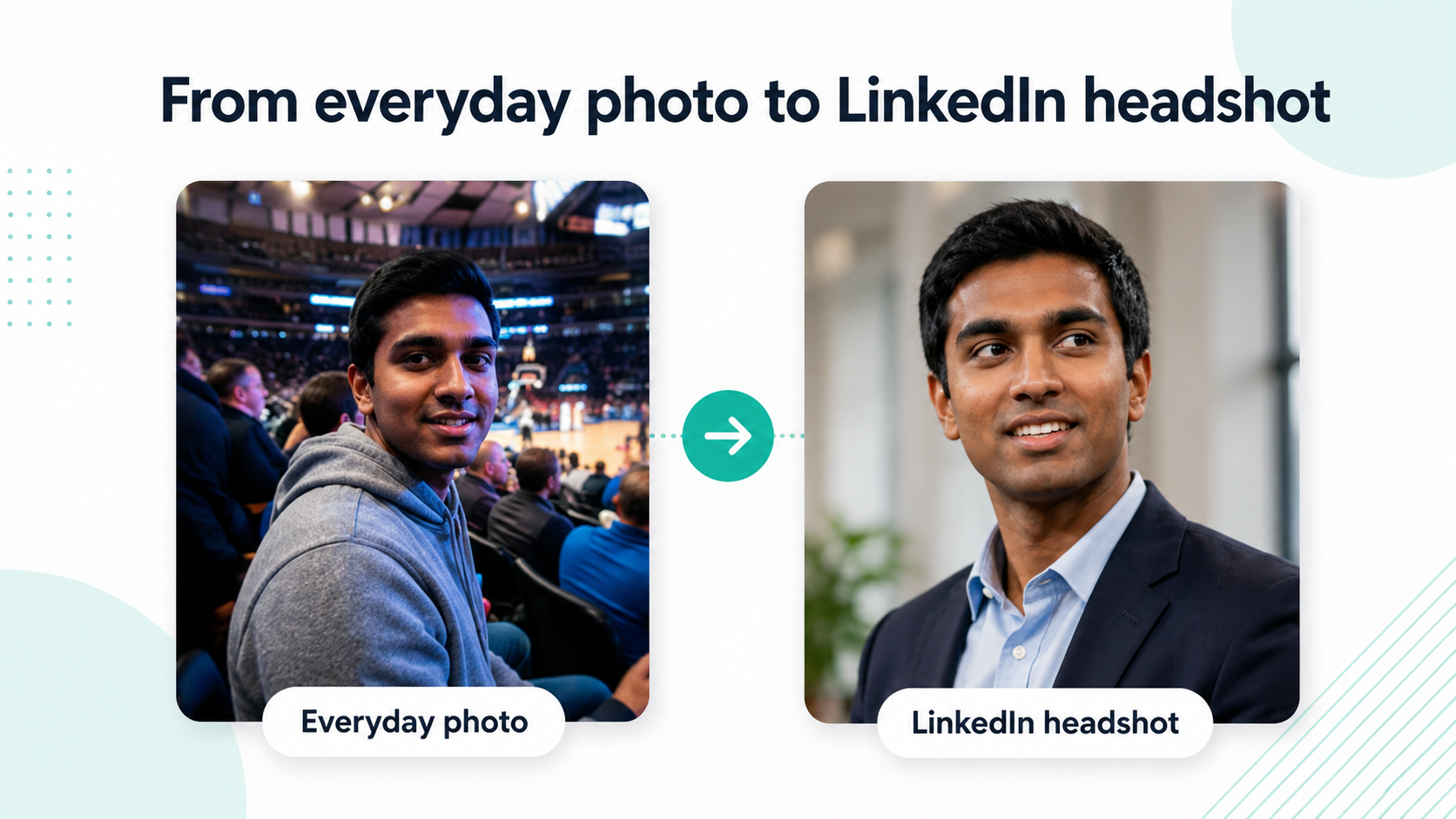
What makes a good LinkedIn headshot?
A good LinkedIn headshot should make you look like someone the viewer could comfortably meet tomorrow.
That means your photo should be:
- Recent and recognizable
- Clear at a small size
- Professionally appropriate
- Closely framed around your face
- Free from distracting backgrounds
- Consistent with your role and personal brand
- Natural rather than excessively edited
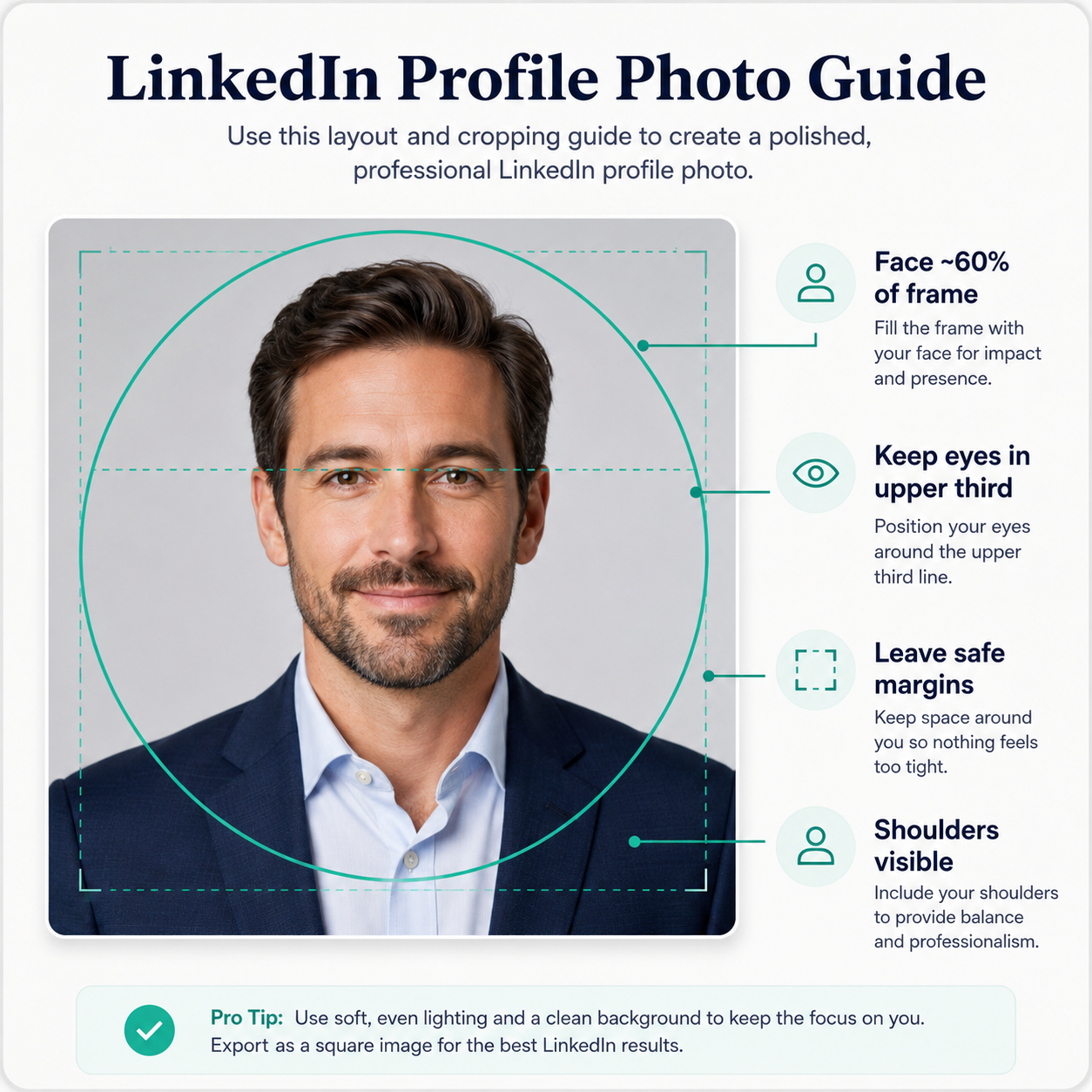
LinkedIn advises using a recent image that reflects your everyday appearance, including your current hairstyle, glasses, makeup, and facial hair. It also recommends that your face occupy roughly 60% of the frame.
A useful test is to reduce the picture to a small circle on your phone. Can you still identify your face immediately? Does the expression remain readable? Is anything competing for attention?
If the answer is yes, the image is likely suitable for LinkedIn.
LinkedIn profile picture size and technical requirements
LinkedIn accepts profile photos between 400 × 400 pixels and 7680 × 4320 pixels, with a maximum file size of 8 MB. Files must be uploaded in JPG or PNG format.
For reliable results, use a square image of at least 800 × 800 pixels. LinkedIn displays the image as a circle, so important details should remain comfortably inside the centre of the square.
| Specification | Recommendation |
| Minimum dimensions | 400 × 400 pixels |
| Practical upload size | 800 × 800 pixels or higher |
| Maximum dimensions | 7680 × 4320 pixels |
| Maximum file size | 8 MB |
| File format | JPG or PNG |
| Working aspect ratio | 1:1 square |
| Face size | Approximately 60% of the frame |
LinkedIn allows you to crop, reposition, resize, rotate, and apply basic adjustments after uploading the photo.
Leave room for the circular crop
Do not place your face too close to the edge. A photo that looks balanced as a square can feel cramped once LinkedIn applies its circular display.
Aim to include:
- The top of your shoulders
- Your full head and hair
- A modest amount of space above your head
- Enough background around both sides of your face
Avoid wide, full-body photographs. Your face will become too small when the image appears next to comments, messages, or search results.
How should you frame a LinkedIn headshot?
The most reliable composition is a close head-and-shoulders portrait.
Your face should be the clear focal point, but the crop should not feel like a passport photo. Showing part of the shoulders helps the image feel more natural and gives the viewer useful context from your clothing and posture.
A slight three-quarter turn often looks more relaxed than facing the camera completely straight on. However, avoid turning so far that one side of your face becomes difficult to see.
Your eyes should generally sit near the upper third of the frame, and you should look towards the camera unless a more editorial style genuinely suits your profession.
Straight-on or angled?
A straight-on portrait can communicate clarity and confidence. It works particularly well for:
- Lawyers
- Executives
- Finance professionals
- Consultants
- Senior corporate roles
A subtle three-quarter angle can feel warmer and more approachable. It often works well for:
- Recruiters
- Realtors
- Coaches
- Founders
- Healthcare professionals
- Freelancers
These are tendencies, not rules. The right pose is the one that supports your role while still feeling like you.
Should you smile in a LinkedIn photo?
For most people, yes, but the smile does not need to be broad.
LinkedIn’s own guidance notes that smiling generally helps someone appear more approachable, while also recognizing that a more serious expression may suit certain professional brands.
A useful expression usually falls into one of three categories:
| Expression | Impression | Often suitable for |
| Warm smile | Approachable and personable | Sales, recruiting, real estate, coaching |
| Subtle smile | Confident and balanced | Most corporate and professional roles |
| Confident neutral | Serious and authoritative | Legal, finance, leadership, technical roles |
Avoid forcing an expression that feels unnatural. Tension around the mouth or eyes can be more distracting than not smiling at all.
The goal is not to look cheerful at any cost. It is to appear engaged, confident, and comfortable.
What should you wear for a LinkedIn headshot?
Dress in a way that reflects the professional environment you want to be associated with.
LinkedIn recommends wearing what you would normally wear to work and notes that solid colours often perform better on camera than complicated patterns.
Suitable choices may include:
- A formal suit for law, banking, or executive leadership
- A blazer with an open-collar shirt for consulting or technology
- Business-casual clothing for sales, recruiting, or real estate
- A simple knit, blouse, or shirt for creative and independent roles
- Profession-specific attire where it genuinely adds context
Avoid prominent logos, very fine patterns, reflective fabrics, and accessories that draw attention away from your face.
For AI LinkedIn headshots
When using HeadshotHQ, your uploaded selfies do not need to show you wearing the final professional outfit.
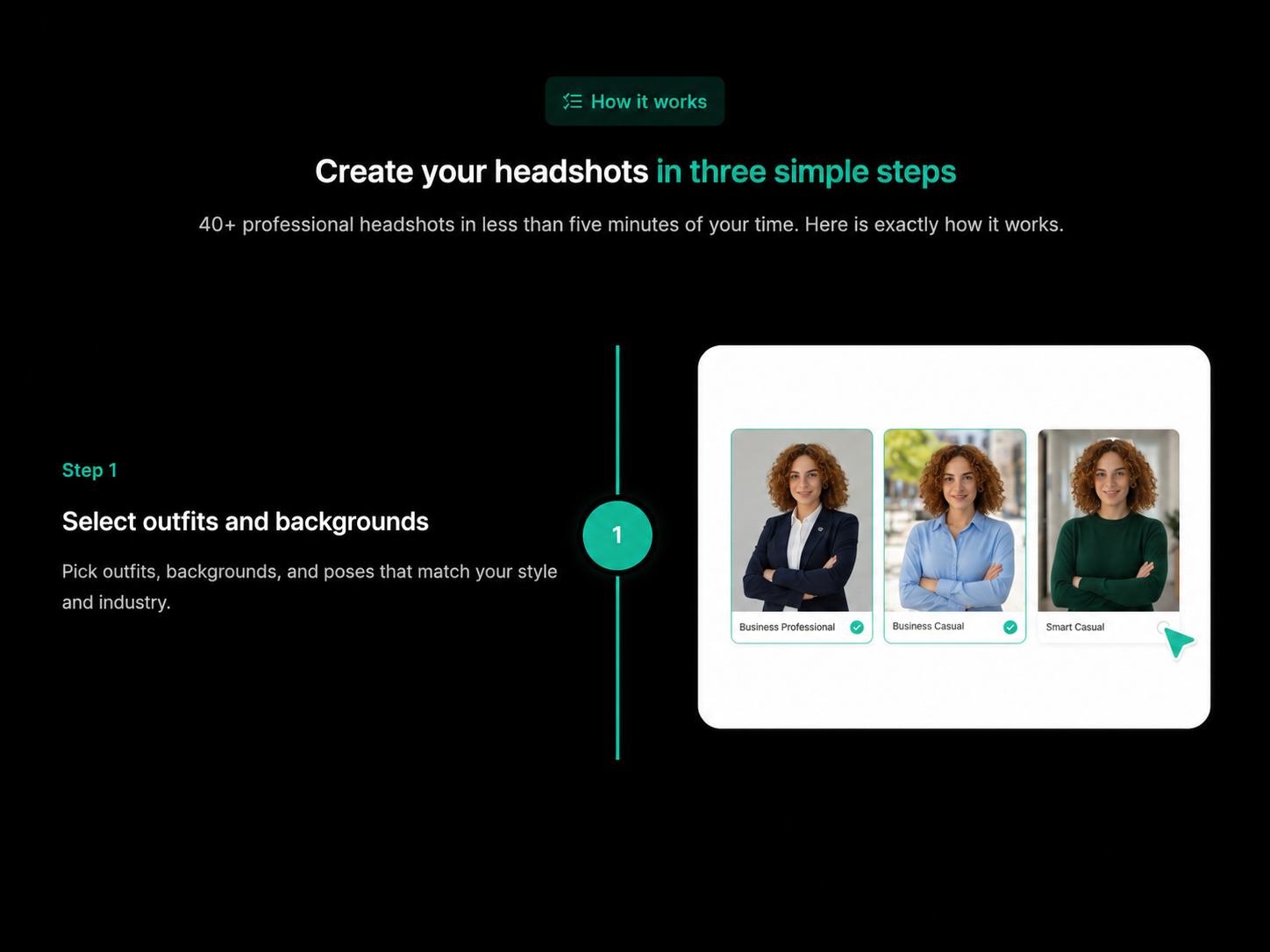
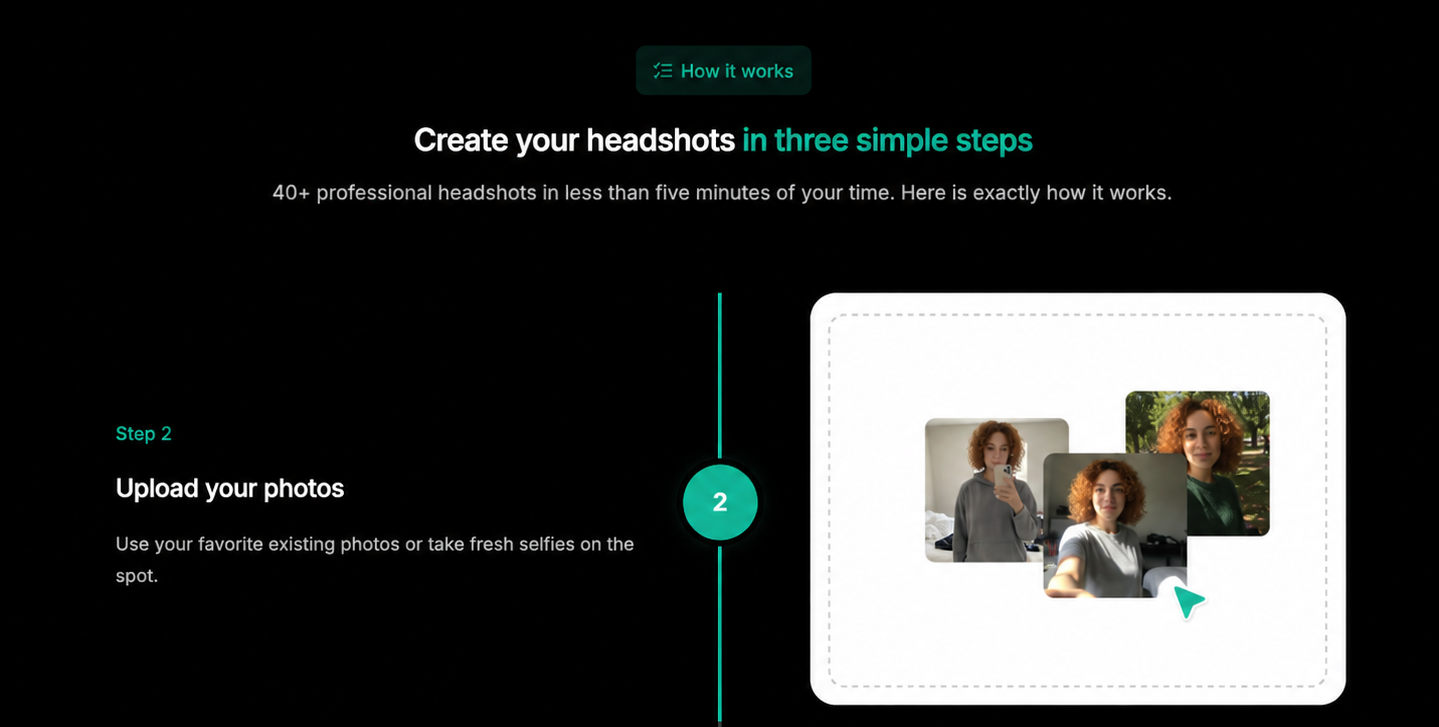
You first select the outfits, backgrounds, and styles you prefer, then upload suitable recent photos. The professional clothing is created as part of the generated result. This gives you more flexibility to compare several looks without arranging multiple wardrobe changes or photoshoots.
Choose the generated outfit based on where you are going professionally, not simply which result looks most formal.
What is the best background for a LinkedIn headshot?
The best background supports your face without becoming the subject of the photo.
Reliable options include:
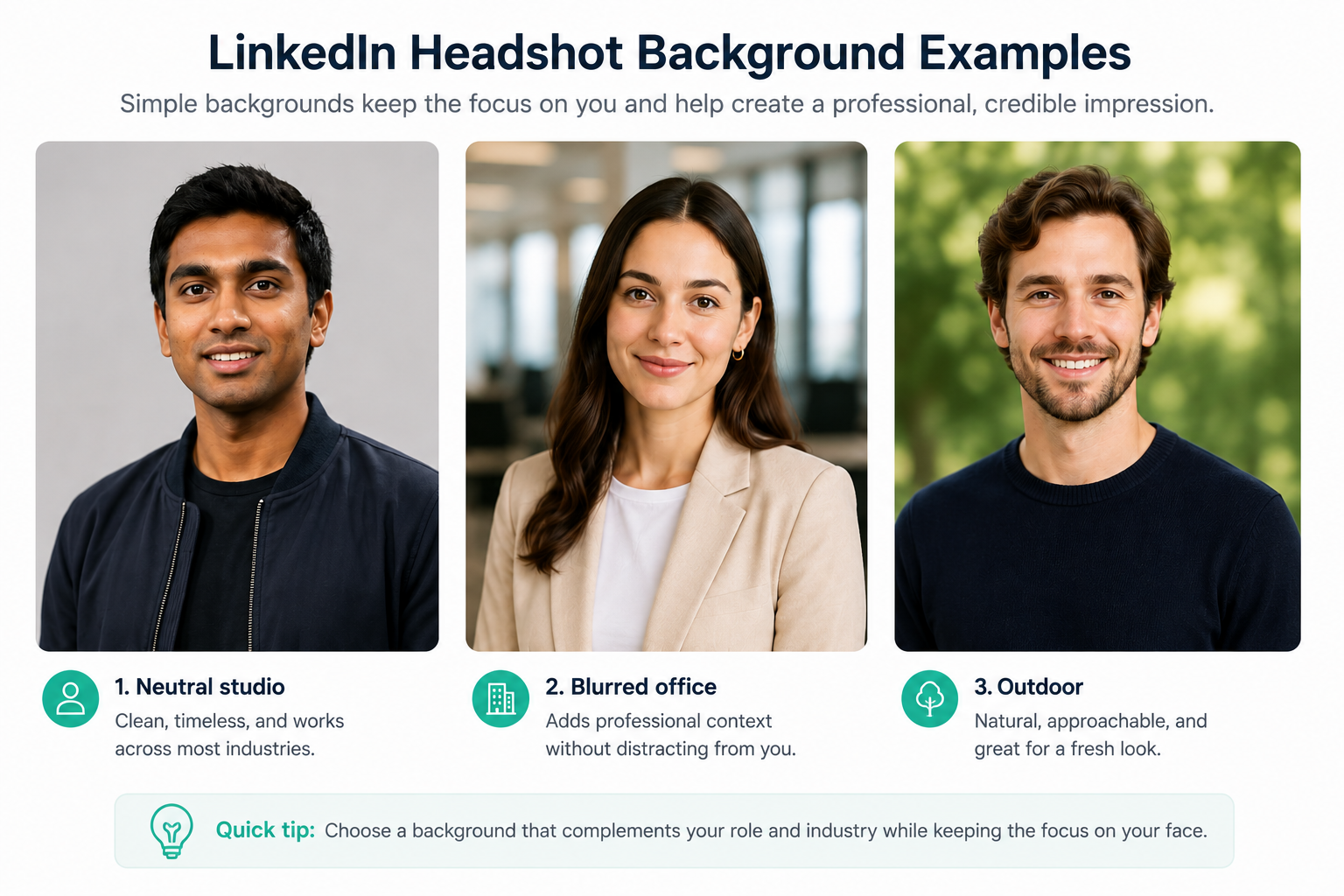
Neutral studio background
Soft grey, off-white, beige, or muted blue works across most sectors. It is clean, timeless, and easy to reuse on company websites or conference pages.
Blurred office background
A softly blurred workplace creates context while keeping attention on your face. It can work particularly well for consultants, executives, founders, and corporate professionals.
Natural outdoor background
A restrained outdoor setting can feel open and approachable. Choose soft greenery or neutral architecture rather than a visually busy landscape.
Muted brand colour
A soft, understated background colour can create a clean and consistent look, especially for founders, consultants, and customer-facing professionals. Choose a shade that complements your clothing and professional style without distracting from your face.
Avoid:
- Busy offices
- Visible clutter
- Strong patterns
- Distracting objects
- Harsh colour contrasts
- Artificial backgrounds with obvious cut-out edges
LinkedIn’s guidance similarly recommends simple backgrounds that keep the face as the focal point.
LinkedIn headshot examples by professional style
The phrase “professional LinkedIn photo” does not refer to one universal look.
Corporate professional
A structured blazer or suit, restrained expression, and neutral or office background. Suitable for finance, consulting, legal, and leadership roles.
Modern business casual
An open-collar shirt, blouse, knit, or relaxed blazer with a warm expression. Suitable for technology, sales, recruiting, and startup environments.
Approachable expert
Professional but less formal clothing, direct eye contact, and a genuine smile. Suitable for coaches, healthcare practitioners, therapists, and independent consultants.
Creative professional
Contemporary clothing and a more distinctive setting or composition, while keeping the face clear and the overall presentation polished.
Executive headshot
Strong posture, controlled expression, high-quality lighting, and a refined background. The image should convey seniority without appearing distant.
The best LinkedIn headshot reflects both your current professional identity and the audience you want to reach.
Can you take a LinkedIn headshot yourself?
A smartphone can produce a suitable LinkedIn profile photo when the setup is handled carefully.
Yes, it is possible to take a usable LinkedIn headshot with a smartphone, particularly if you have soft natural light, a clean background, and someone available to take the photo at eye level.
The challenge is achieving professional lighting, flattering composition, natural posture, and a polished background at the same time. A DIY photo also usually gives you only one outfit, one setting, and a limited number of strong results.
A smartphone photo may be sufficient when you need a quick, informal update. An AI headshot generator may be more suitable when you want several professional options, different outfits and backgrounds, and a more polished result without arranging a photoshoot.
| DIY smartphone photo | AI LinkedIn headshot |
| ➖Usually one outfit and setting | ✅ Multiple generated styles and settings |
| ➖Depends heavily on lighting and setup | ✅ Designed for professional presentation |
| ➖May require another person to take | ✅ Created online from existing photos |
| ➖Low cost but more manual effort | ✅ Affordable and more convenient |
| ➖Suitable for a quick update | ✅ Better suited to a polished professional profile |
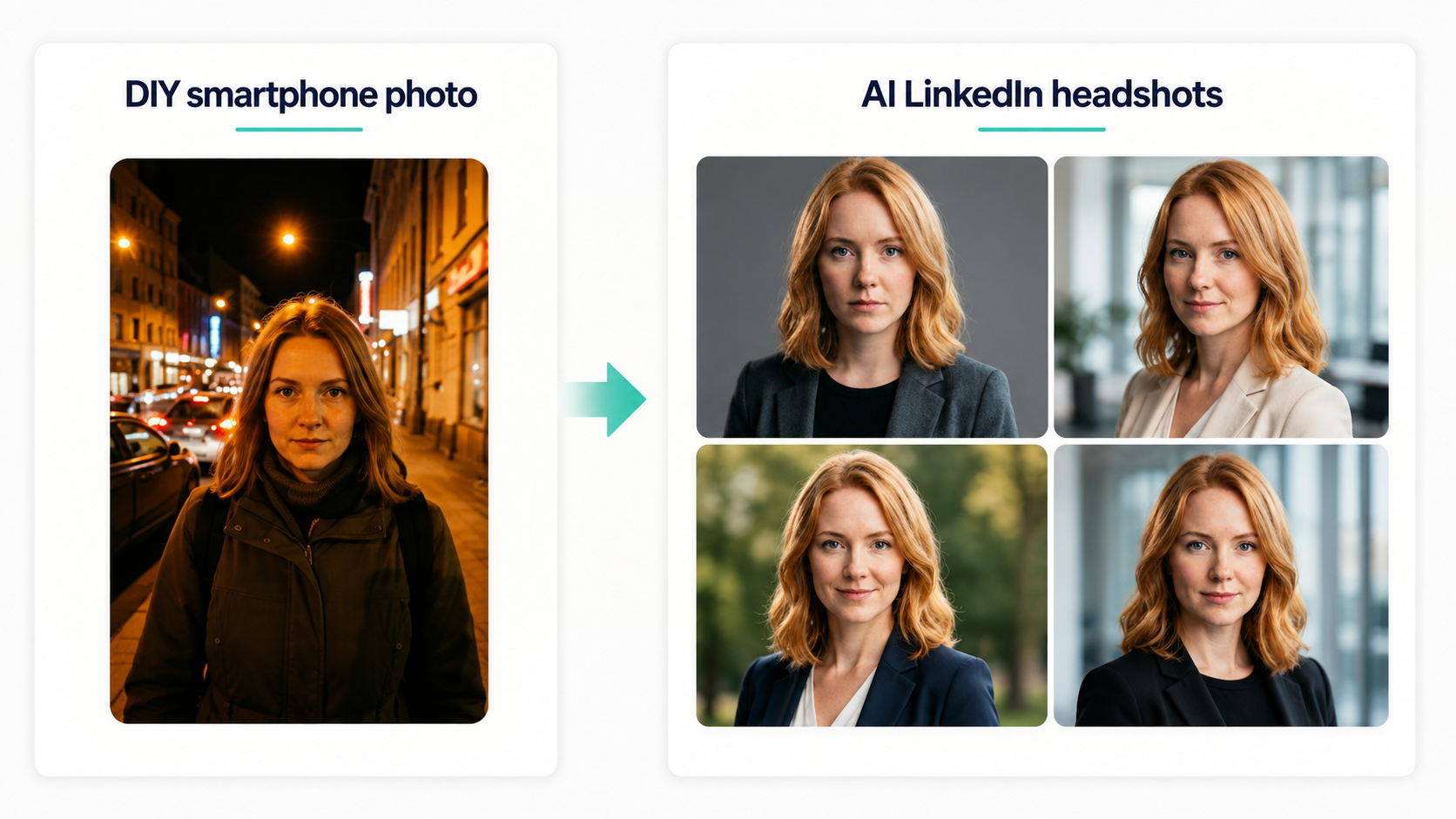
Photographer, DIY photo, or AI LinkedIn headshot?
There are three practical ways to create a professional headshot for LinkedIn.
| Option | Main advantage | Main limitation |
| DIY smartphone photo | Low cost and immediate | Requires good lighting, framing, and assistance |
| Professional photographer | Personal direction and bespoke quality | Usually more expensive and requires scheduling |
| AI headshot generator | Convenient access to multiple outfits and styles | Quality depends on input photos and realistic selection |
LinkedIn notes that a photographer can provide flattering lighting and professional direction, but also estimates that traditional sessions commonly cost several hundred dollars.
An AI LinkedIn headshot can be useful when you:
- Need a professional image quickly
- Want several outfit and background choices
- Do not feel comfortable posing in a studio
- Need multiple images for LinkedIn, a company website, and speaking profiles
- Want a more affordable alternative to many traditional sessions
A photographer may remain the better choice when you want highly bespoke art direction, environmental portraits, extensive retouching, or photography for a major campaign.
Creating a LinkedIn headshot with HeadshotHQ
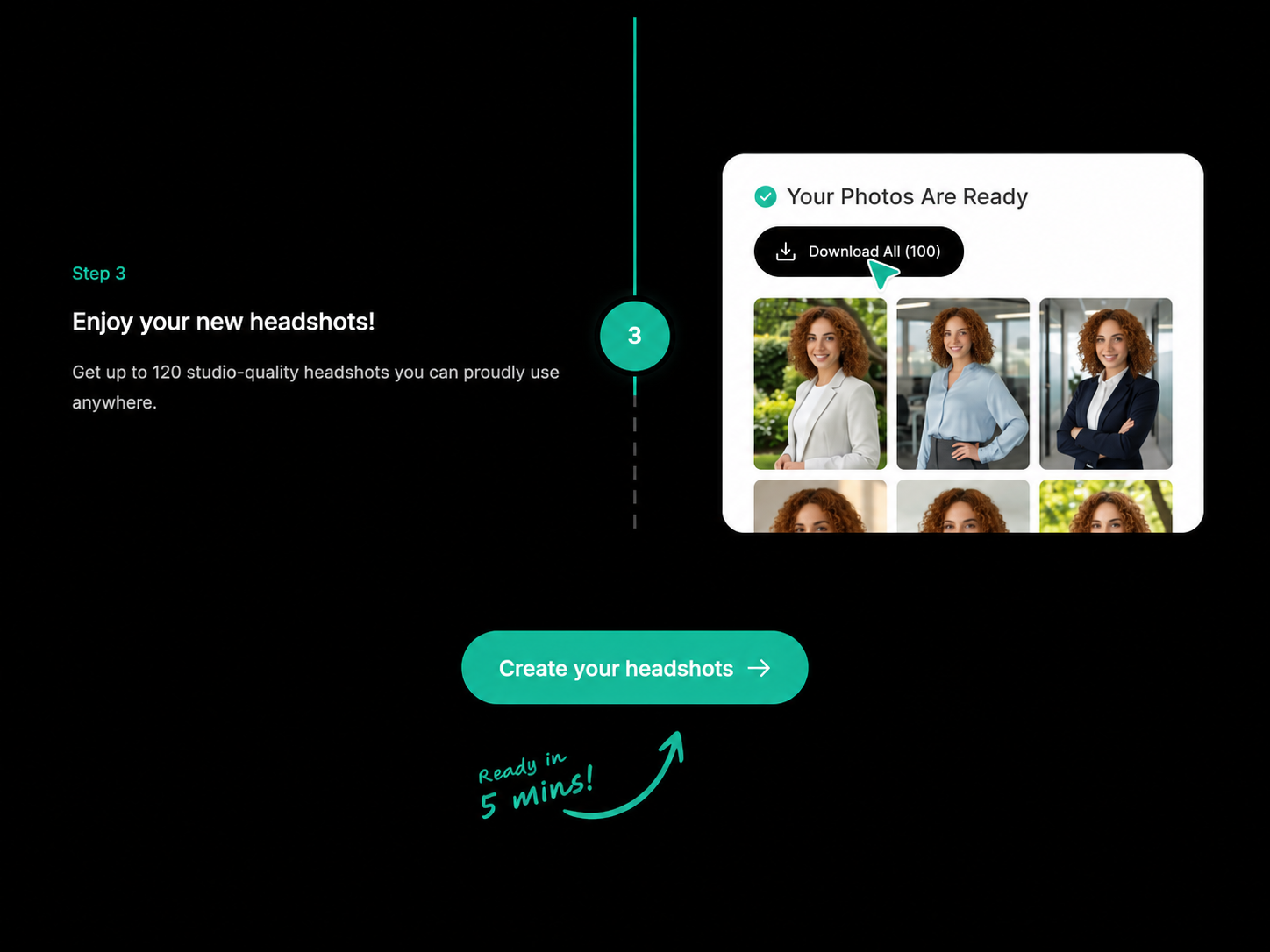
The process involves three steps:
- Select preferred outfits, backgrounds, and poses.
- Upload recent, clear photos or selfies.
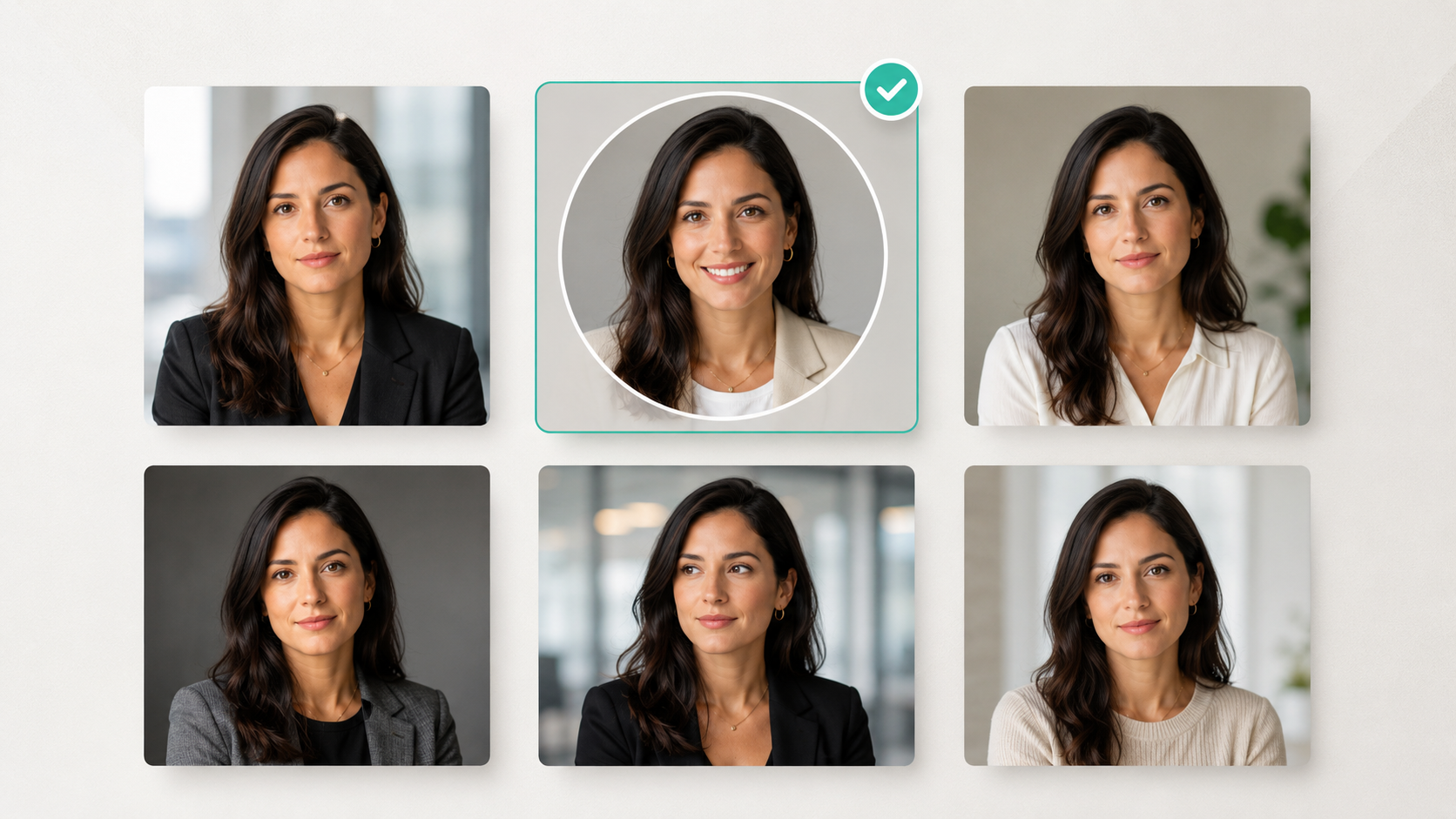
- Review the generated professional headshots and choose the result that represents you most accurately.
The strongest result is not necessarily the most glamorous one. Choose the photo that combines professionalism with a recognizable likeness.
Common LinkedIn profile picture mistakes
Even technically good photographs can make poor LinkedIn headshots.
Avoid:
- Using an old photo that no longer resembles you
- Cropping yourself from a group picture
- Uploading a blurry or compressed screenshot
- Choosing a full-body image
- Using a busy background
- Applying heavy beauty filters
- Selecting clothing that conflicts with your professional goals
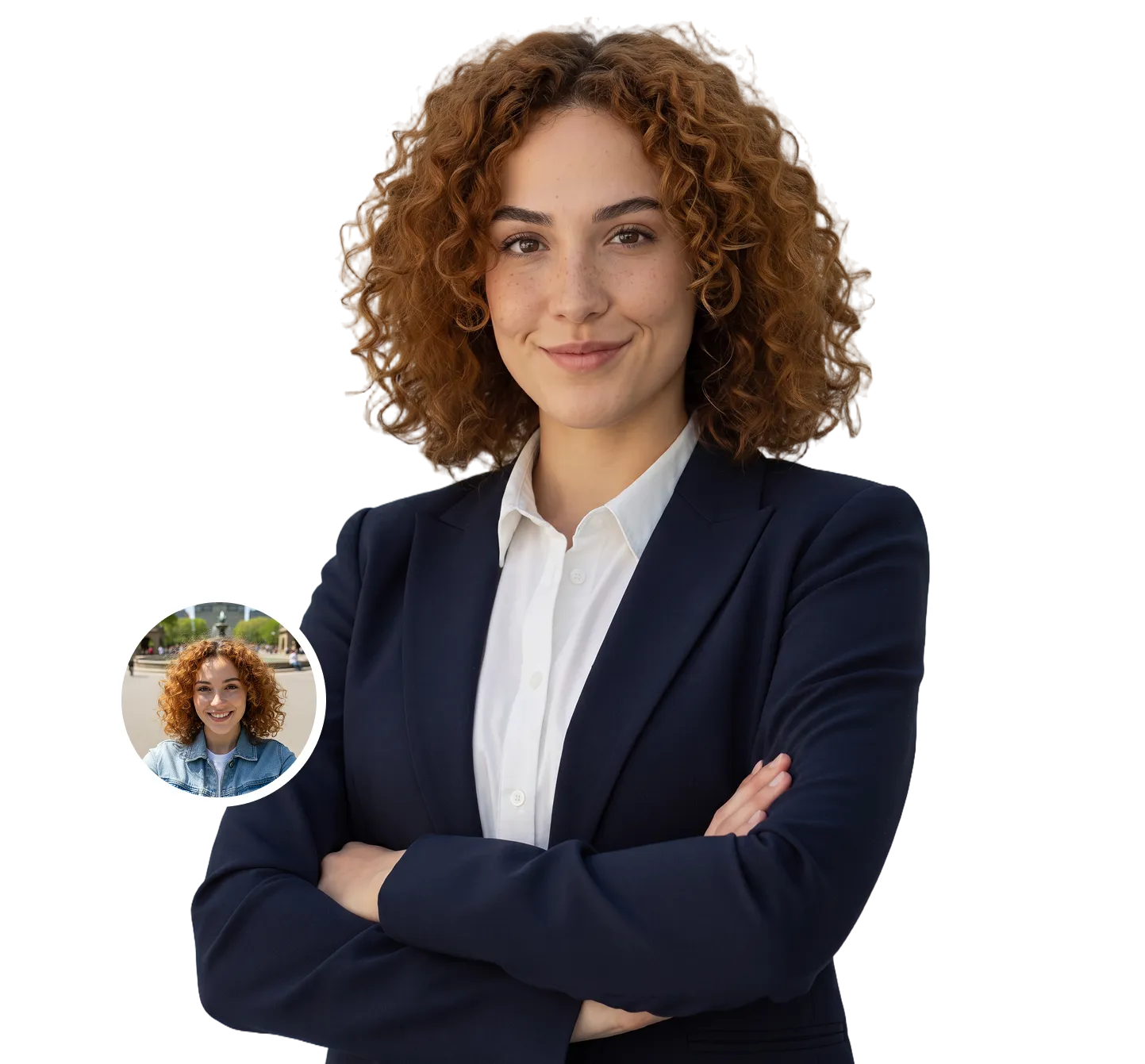
- Using an AI headshot that changes your face noticeably
- Leaving too little space for LinkedIn’s circular crop
- Choosing the most polished result rather than the most recognizable one
LinkedIn requires profile images to reflect the member’s likeness, including where an illustration or artistic rendering is used.
That principle matters for AI-generated headshots as well. Your image can improve lighting, clothing, and presentation without creating a different person.
How often should you update your LinkedIn photo?
There is no fixed deadline, but your LinkedIn profile photo should reflect how you currently look.
Consider updating it when:
- Your hairstyle changes significantly
- You begin or stop wearing glasses
- Your facial hair changes
- Your appearance changes noticeably
- Your existing photo is several years old
- You move into a different professional field
- Your current image no longer matches your level of seniority
LinkedIn recommends using a photo from within the past few years and refreshing it after a substantial change in appearance.
For many professionals, reviewing the photo every one to two years is a sensible habit, even if an immediate replacement is not required.
Your LinkedIn headshot should look professional—and still look like you
The best LinkedIn headshots balance presentation with authenticity.
Use a current, high-resolution image. Frame your face clearly, choose a simple background, and select clothing and an expression that fit your professional direction. Whether you create the image yourself, work with a photographer, or use an AI headshot generator, resemblance should remain the priority.
A polished headshot may attract attention. A recognizable one builds trust.
HeadshotHQ offers a guided way to create professional LinkedIn headshots from suitable recent photos, with a choice of generated outfits, backgrounds, and styles without arranging a traditional photoshoot.
Share this article