

How to Choose the Best Headshot for LinkedIn in 2026
Learn how to choose the best LinkedIn headshot based on expression, framing, background, clothing, image quality and professional fit.


How to Choose the Best Headshot for LinkedIn in 2026
Learn how to choose the best LinkedIn headshot by evaluating likeness, expression, framing, background, clothing and professional fit.
Choosing a LinkedIn headshot is not just about picking the photo where you think you look best.
The strongest image is usually the one that looks recognizably like you, feels appropriate for your professional context and still works well when reduced to LinkedIn’s small circular profile-photo format.
If you are comparing several possible images, focus on five things: likeness, expression, framing, background and professional fit.
What makes a strong LinkedIn headshot in 2026?
A strong LinkedIn headshot should:
- Look clearly like you
- Use a natural, confident expression
- Keep your face prominent in the frame
- Have a simple, professional background
- Use clothing that fits your role
- Remain clear when cropped into a circle
LinkedIn recommends using a recent photo that represents your current appearance and having your face occupy around 60% of the frame.
That gives you a useful rule: recognizability first, polish second.
1. Choose the photo that looks most like you
Start with likeness.
A headshot can have excellent lighting, flattering clothing and a polished background, but if it does not look recognizably like you, it is the wrong choice.
Ask yourself:
If someone saw this photo before meeting me, would they recognize me immediately?
This matters especially when comparing AI-generated or heavily retouched images.
A good professional headshot can improve presentation without changing the distinctive facial features that make you look like yourself.
If two photos are equally polished, choose the one that feels more natural and familiar.
2. Pick the expression that fits your professional image
There is no single “correct” LinkedIn expression.
For many people, a natural smile works well because it feels approachable and confident.
For more formal roles, a subtle smile or composed expression can be equally effective.
The key is to avoid an expression that feels forced.
A useful test is:
- Does this expression feel like me?
- Does it fit the way I want to come across professionally?
- Would I be comfortable using this image for the next year?
If yes, it is probably a strong candidate.
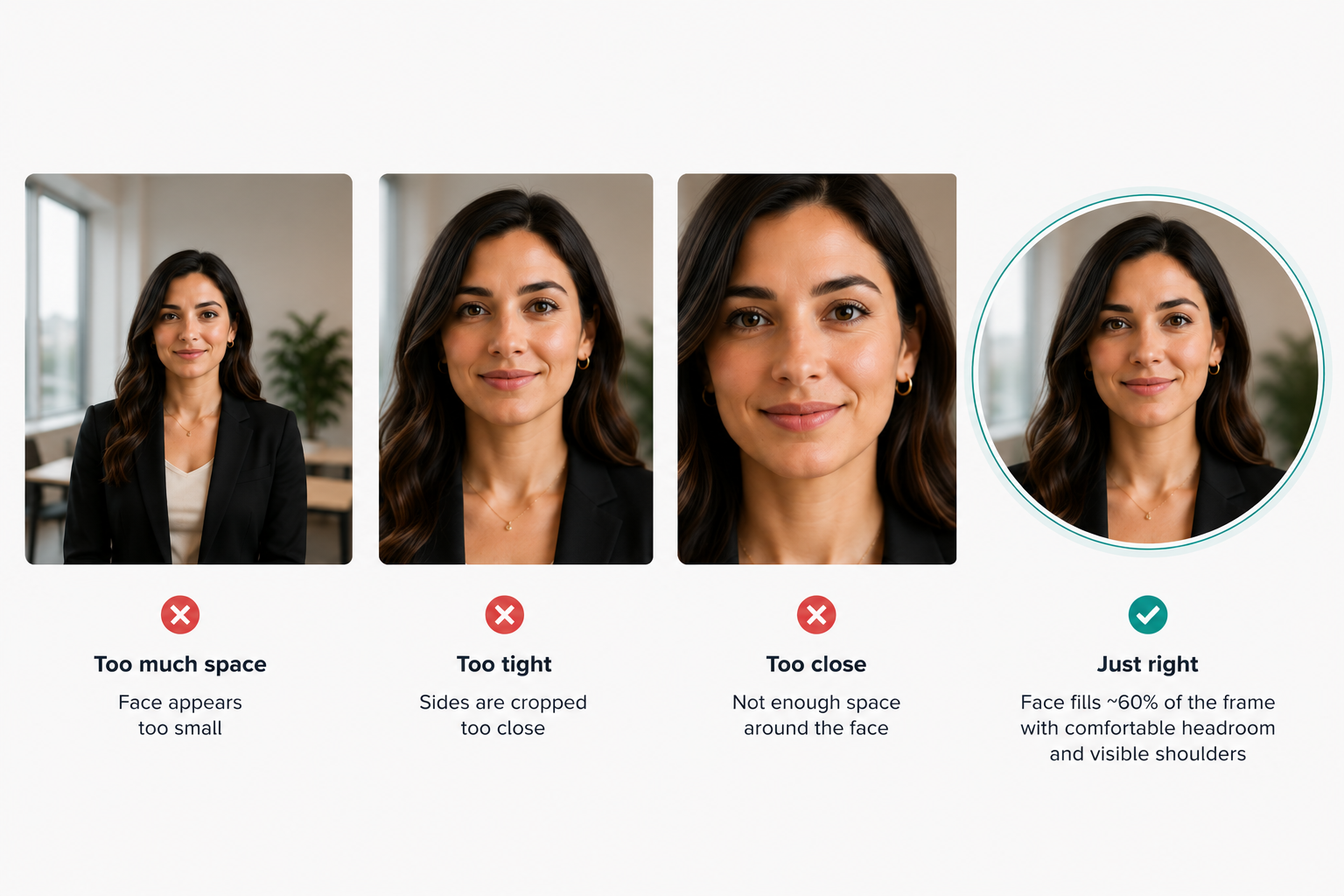
3. Check the framing and circular crop
LinkedIn profile photos appear in a circular crop, so framing matters more than many people realize.
LinkedIn recommends that your face fills roughly 60% of the frame.
The best headshots usually show:
- Your full face
- Some shoulders
- A little space above the head
- No important detail too close to the edge
Avoid photos where your face is too small or positioned too far to one side.
A photo can look good at full size but become weak once it is reduced to a small profile icon.
Always preview your final choice inside a circular crop before uploading.
4. Choose the right background and outfit
Your background should support the image rather than compete with your face.
Strong options may include:
- Neutral studio backgrounds
- Soft grey, white or beige
- Blurred office settings
- Restrained outdoor backgrounds
The best choice depends on your field, but simplicity is usually safest.
The same principle applies to clothing.
You do not necessarily need a suit.
A corporate executive may look most appropriate in a structured blazer or suit, while a founder, consultant or creative professional may look more natural in polished smart-casual clothing.
The goal is professional fit, not maximum formality.
If you are using HeadshotHQ, your source photos do not need to show you already wearing professional clothing. Users select preferred outfits, backgrounds and styles separately before uploading suitable recent photos.
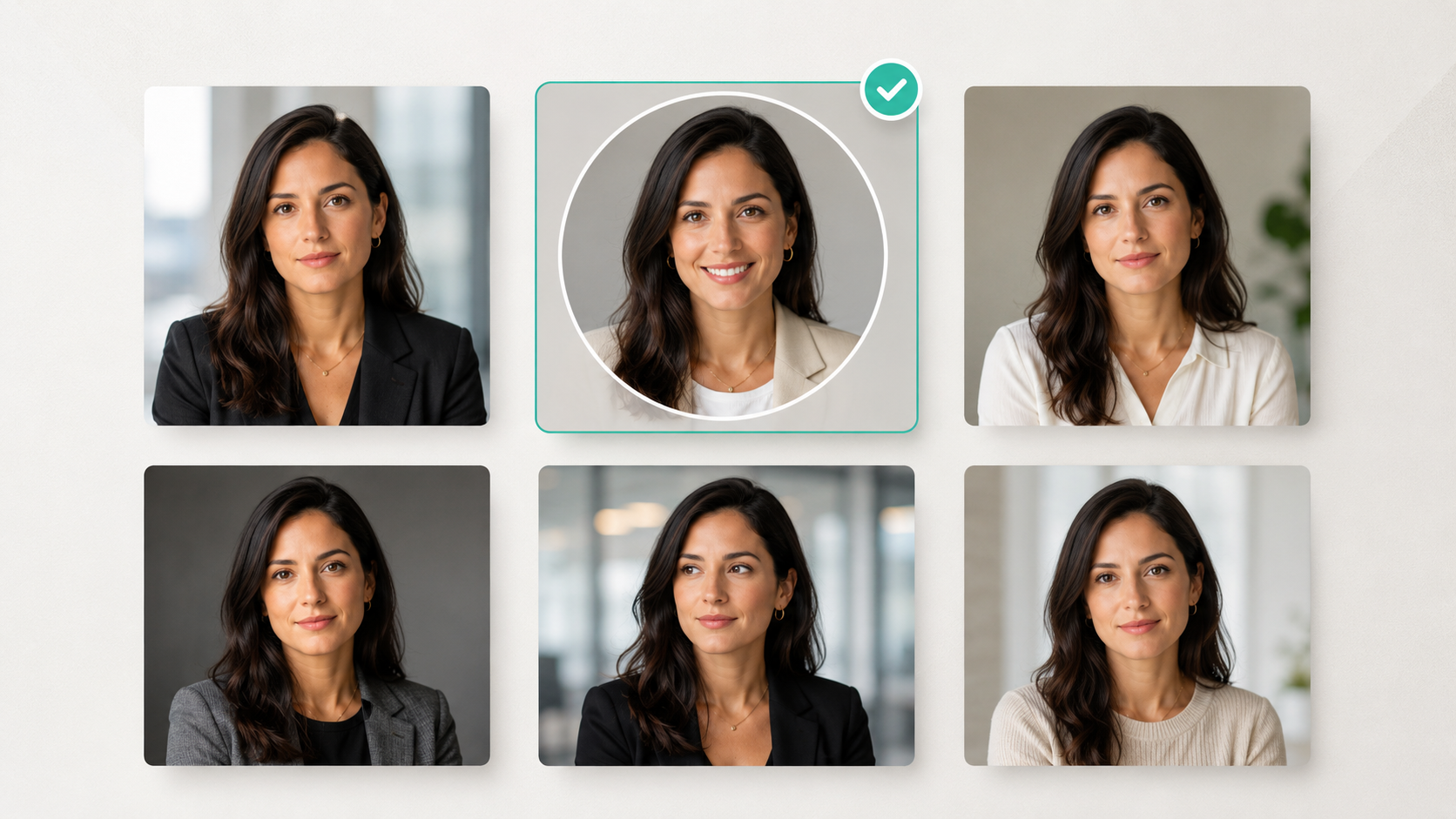
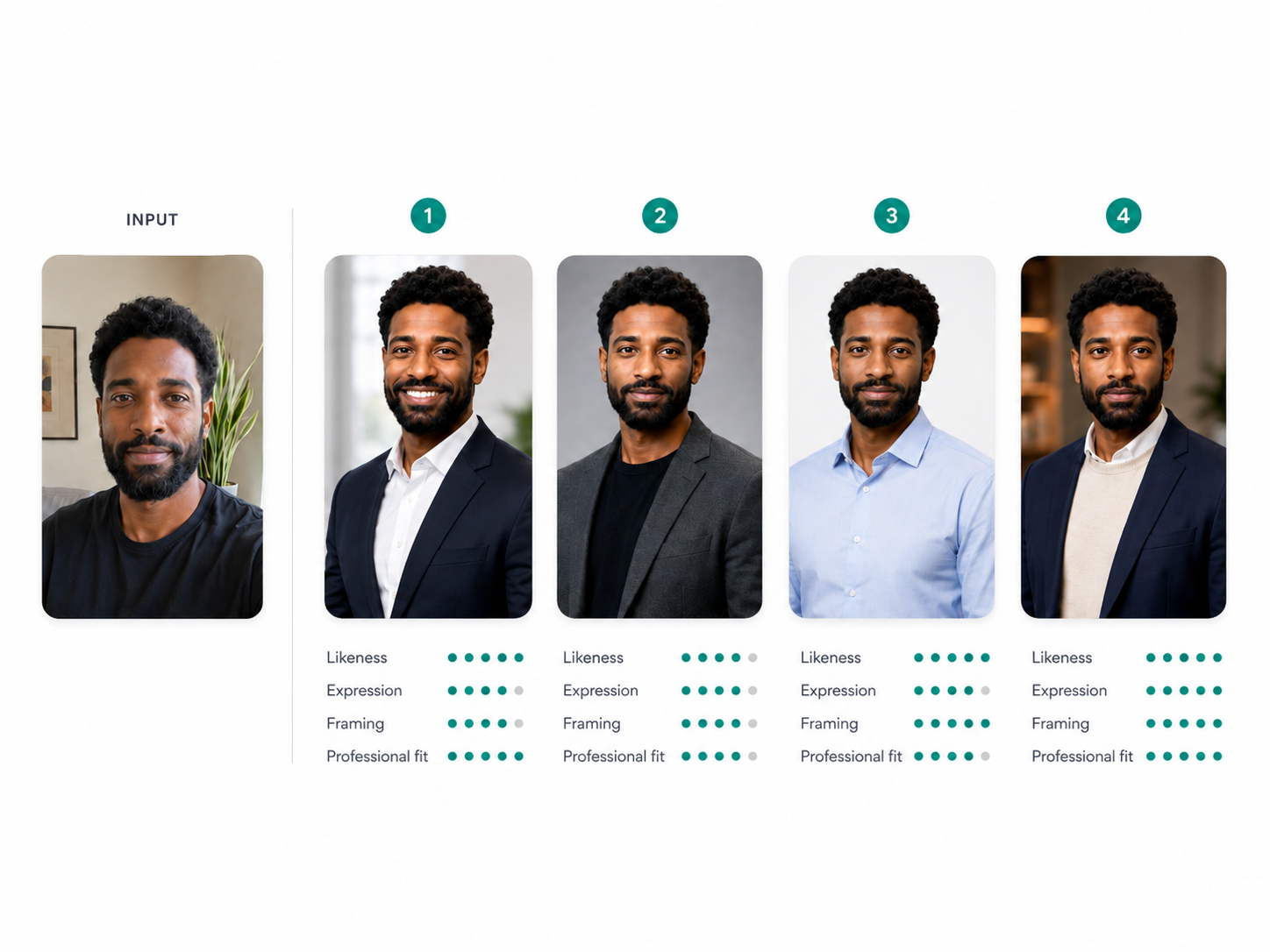
5. Compare your strongest options side by side
If you have several good images, compare them together rather than switching between them individually.
Narrow the choice down to three or four and ask:
- Which looks most like me?
- Which expression feels most natural?
- Which works best at a small size?
- Which background distracts least?
- Which outfit fits my professional identity?
- Which would I be most comfortable using across LinkedIn and other professional profiles?
Side-by-side comparison often makes the strongest image much easier to spot.
What if none of your current photos works?
Sometimes the problem is not choosing between several good headshots.
It is that none of the photos you already have feels suitable for LinkedIn.
A specialist AI headshot generator can give you more professional options without arranging a photoshoot.
With HeadshotHQ, users select preferred outfits, backgrounds and styles, upload suitable recent photos or selfies, and receive a range of professional headshots to compare.
That can be useful when you want several polished alternatives rather than settling for whichever existing selfie happens to be the least unsuitable.
Common LinkedIn headshot mistakes
Choosing the most flattering image instead of the most recognizable one
A polished image should still look like you.
Using a photo where your face is too small
LinkedIn profile photos are displayed at a relatively small size, so tight, clear framing works better.
Choosing a distracting background
The viewer should notice your face first.
Using an old photo
Your headshot should reflect your current appearance.
Picking an outfit that feels too formal or too casual for your field
Professional fit matters more than formality alone.
Ignoring the circular crop
Always check how the image looks in LinkedIn’s actual profile-photo format.
Quick LinkedIn headshot checklist
Before uploading your final choice, check:
- Likeness: Does it clearly look like you?
- Expression: Does it feel natural and confident?
- Framing: Is your face prominent?
- Crop: Does it work inside a circle?
- Background: Is it simple and professional?
- Clothing: Does it suit your field?
- Quality: Is the image clear and realistic?
- Professional fit: Does it match how you want to present yourself?
If your photo passes all eight, you probably have a strong LinkedIn headshot.
Frequently asked questions
What is the best headshot for LinkedIn?
The best LinkedIn headshot is a current, recognizable image with a natural expression, clear facial framing, professional clothing and a simple background.
Should you smile in a LinkedIn headshot?
You do not have to, but a natural smile often works well. A more composed expression can also suit formal or senior roles.
How much of your face should appear in a LinkedIn photo?
LinkedIn recommends that your face occupy around 60% of the frame.
Is an AI headshot acceptable for LinkedIn?
Yes, provided the image genuinely reflects your likeness and looks appropriate for a professional profile.
How often should you update your LinkedIn headshot?
There is no fixed schedule. Update it when the photo no longer reflects your current appearance or professional identity.
The best LinkedIn headshot should still feel like you
The strongest LinkedIn headshot is not necessarily the most formal or the most polished.
It is the one that looks recognizably like you and communicates the right professional impression at a glance.
Start with likeness.
Then compare expression, framing, background and clothing.
If none of your existing photos gives you the combination you want, HeadshotHQ can help you generate several professional options from suitable recent photos so you can choose the one that fits your LinkedIn profile best.
The goal is simple: look like yourself, at your professional best.
Share this article