

How to Build a Consistent Professional Presence Across Online Platforms
Build a consistent professional presence across LinkedIn, company bios and websites using the 4C framework for headshots, positioning and personal branding.


How to Build a Consistent Professional Presence Across Online Platforms
Learn how to build a consistent professional presence across LinkedIn, company bios, personal websites and other platforms by aligning your headshot, visual style, profile information and personal brand.
Most professionals no longer have a single online identity.
You may have a LinkedIn profile, company bio, personal website, speaker page, professional directory, portfolio and email signature. Someone researching you may encounter several of them within minutes.
The problem is not that those profiles look different.
The problem is when they feel like they belong to different versions of the same person.
A consistent professional presence is not about copying the same photo and bio everywhere. It is about creating recognizable continuity: the same person, same professional positioning and same underlying visual identity, adapted intelligently to each platform.
That distinction matters.
A LinkedIn headshot may need a tighter crop. A speaker page can feel warmer. A company bio may use a more formal portrait. Your personal website may allow more personality.
They can all be different while still unmistakably belonging to you.
Professional consistency is not visual duplication. It is recognizable continuity.
The HeadshotHQ 4C Framework for professional consistency
A useful way to evaluate your professional presence is through four principles:
1. Consistency
Your profiles should clearly represent the same person and professional identity.
That includes your headshot, role, expertise and general visual tone.
2. Context
Different platforms have different purposes.
Adapt your image and message to the context rather than using one asset mechanically everywhere.
3. Currency
Your professional presence should reflect who you are now.
Outdated headshots, old titles and obsolete bios weaken consistency even if they once matched perfectly.
4. Credibility
Everything should feel professionally appropriate and believable.
Your images should look like you. Your claims should match your actual experience. Your presentation should fit the environment in which people encounter you.
These four principles work together.
You can be perfectly consistent but outdated. You can be current but visually fragmented. You can look polished but not recognizably like yourself.
A strong online professional presence needs all four.
1. Start with a recognizable professional headshot
Your headshot is usually the fastest visual cue connecting your profiles.
LinkedIn's current guidance recommends using a recent photo that clearly looks like you and says your face should occupy roughly 60% of the frame.
That idea extends beyond LinkedIn.
If someone sees your company bio after finding you on LinkedIn, they should recognize you immediately.
You have two good approaches:
Use the same primary headshot
This provides maximum recognition and works particularly well across platforms with similar purposes, such as:
- Company profiles
- Professional directories
- Internal team pages
Use several closely related headshots
This gives you more flexibility while maintaining the same visual identity.
For example:
- LinkedIn: close head-and-shoulders crop, navy blazer, neutral background
- Company bio: slightly wider portrait from the same professional style family
- Speaker page: warmer expression and brighter professional background
- Personal website: contemporary business-casual portrait with slightly more personality
The images are not identical.
The identity is.
2. Decide what should stay consistent
You do not need to make every design choice uniform.
Instead, identify the elements that should remain stable.
For most professionals, those are:
Likeness
You should clearly look like the same person everywhere.
Professional positioning
Your role, expertise and core professional story should align.
Visual tone
The overall level of formality and presentation should feel related.
Current information
Titles, employers, bios and links should reflect your present situation.
Everything else has room to adapt.
This distinction makes professional branding far easier.
You are not trying to enforce a rigid design system.
You are protecting a few important signals of identity.
3. Same photo or different photo? Use this rule
One of the most common questions is whether you should use the same headshot across platforms.
There is no reason to make this complicated.
| Platform | Recommended approach | Why |
| Primary professional headshot | Recognition and clear profile presentation | |
| Company bio | Same image or closely related portrait | Reinforces professional continuity |
| Personal website | Related image with more personality | Allows stronger personal-brand expression |
| Speaker page | Related professional portrait | Can feel warmer or more contextual |
| Professional directory | Clean, neutral headshot | Needs to work well at small sizes |
| Email signature | Same primary image if used | Easy recognition |
| Press / media bio | Strong related portrait | May require different crops or dimensions |
The principle is simple:
Use the same image when recognition is more important than variation. Use a related image when the context genuinely benefits from a different presentation.
That is a much better rule than either “use the exact same photo everywhere” or “use different photos to keep things interesting.”
4. Keep your visual style coherent
Even when the photos differ, they should feel related.
Look at:
- Clothing
- Backgrounds
- Lighting
- Cropping
- Expression
- Level of formality
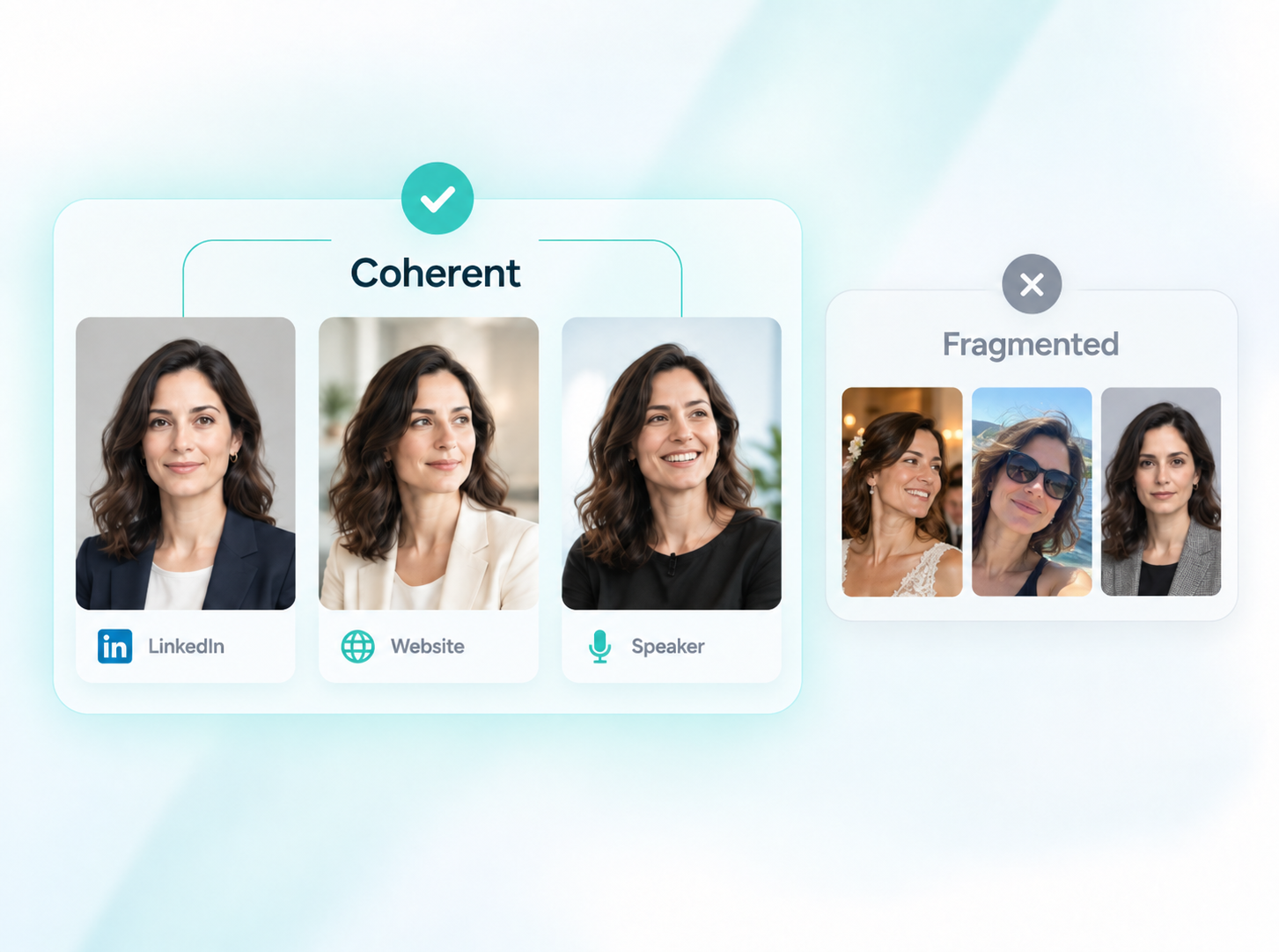
Imagine a consultant whose LinkedIn portrait uses clean contemporary lighting, a navy blazer and a neutral background.
Their personal website could use a cream jacket in a softly blurred office.
Their speaker profile might use a warmer expression against a bright professional setting.
Those images vary considerably.
But they still belong to the same visual world.
Contrast that with:
- A formal studio portrait on LinkedIn
- A cropped wedding photograph on a company page
- A heavily filtered image on a personal website
- A five-year-old conference photograph on a speaker page
The second set may technically show the same person, but the professional identity feels fragmented.
5. Align your professional positioning
Visual consistency cannot compensate for contradictory information.
Your profiles should agree on what you actually do.
Common inconsistencies include:
- Different job titles
- Previous employers appearing as current
- Different descriptions of your specialization
- An old business still presented as active
- Different professional names
- Conflicting locations
- Outdated services
You do not need identical wording.
But someone moving from LinkedIn to your company page or website should encounter the same underlying professional story.
For example, a consultant might consistently position themselves around:
- Operational risk
- Regulatory strategy
- Financial services
- Governance
The LinkedIn profile may explain those areas in detail.
The company bio may summarize them formally.
A speaker profile may emphasize the topics most relevant to audiences.
Different wording. Same positioning.
6. Adapt the message to the platform
This is where context from the 4C Framework matters.
Consistency should not become copy-and-paste.
Make it immediately clear who you are, what you do and what expertise you bring.
Your headshot should work particularly well at small size. LinkedIn recommends keeping the face prominent and using a simple background.
Company bio
Focus more on your role inside the organization, professional credentials and responsibilities.
The visual tone may be slightly more formal.
Personal website
You have more room for personality, perspective and a wider professional story.
The imagery can also be a little less rigid.
Speaker profile
Emphasize your subject expertise and public-facing credibility.
A warmer headshot can often work well here.
Professional directory
Keep everything concise and immediately understandable.
The headshot needs to survive small display sizes and varying page designs.
A good professional identity bends to the platform without changing shape completely.
7. Build a small professional image library
One photograph can work across many platforms.
But having a small library of related images gives you far more flexibility.
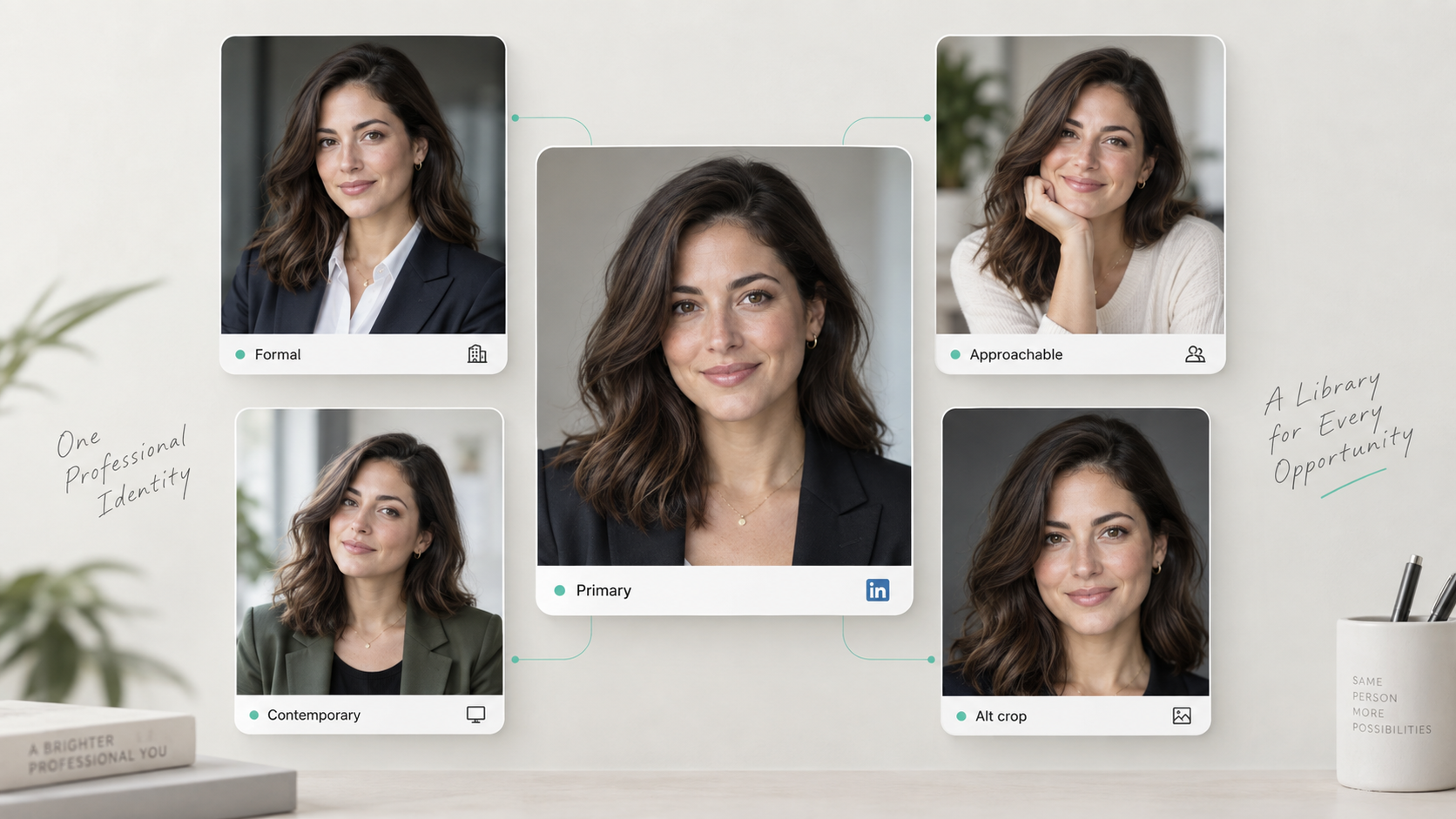
A useful set might include:
- Primary headshot: neutral, versatile, LinkedIn-ready
- Formal option: company profiles or executive contexts
- Approachable option: speaker pages or advisory roles
- Contemporary option: personal website
- Alternative crop or background: directories, media or different layouts
This is one area where AI headshots can be particularly useful.
Instead of arranging separate photoshoots for different professional uses, you can create several polished variations around one recognizable identity.
HeadshotHQ's workflow is designed around that principle: users choose professional looks, upload suitable recent photos or selfies, and generate a range of headshots from which they can select different professional options.
Your source images do not need to show you already wearing the final professional clothing.
The point is not to create five different identities.
It is to build one flexible professional image system.
8. Watch for identity drift in AI-generated images
Variety is useful only if the images still look like you.
When comparing AI-generated headshots, do not simply choose the most flattering ones.
Look for consistency in:
- Facial structure
- Eye shape
- Hairline
- Skin tone
- Distinctive features
- Apparent age
- General appearance
If your LinkedIn image looks convincingly like you but your personal-site image looks like a slightly different person, the set has failed the consistency test.
A good rule is:
Variation should happen around your identity, not to your identity.
This is particularly important when building a professional image library rather than choosing a single portrait.
9. Keep every major profile current
A surprisingly large amount of professional inconsistency comes from neglect rather than design.
A profile created three years ago may still show:
- An old headshot
- Previous employer
- Old title
- Former location
- Outdated website
- Services you no longer provide
That is why Currency is one of the 4Cs.
When a significant professional change happens, update your major profiles as a group.
Typical triggers include:
- Starting a new job
- Receiving a promotion
- Launching a company
- Changing career direction
- Updating your professional name
- Substantially changing your appearance
- Repositioning your services
Do not wait until someone points out that one profile still shows your old role.
10. Prioritize the platforms that actually matter
A consistent online presence does not require maintaining twenty profiles.
For most professionals, five or six touchpoints account for most meaningful discovery.
Start with:
- Company website
- Personal website or portfolio
- Professional directories
- Speaker or event profiles
- Email signature
The order depends on your profession.
A founder may prioritize their website.
A consultant may prioritize LinkedIn.
A speaker may care more about conference pages.
The principle is the same:
make the places people are most likely to encounter you agree first.
11. Conduct a 10-minute professional presence audit
You can identify most inconsistencies quickly.
Open your main profiles side by side and check four things.
Consistency
- Do the photos clearly show the same person?
- Does the level of formality feel related?
- Is your professional positioning aligned?
Context
- Does each headshot suit the platform?
- Is the bio written for that particular audience?
- Are you unnecessarily copying the same material everywhere?
Currency
- Are your title and employer current?
- Are links working?
- Does the headshot still represent your appearance?
Credibility
- Do your photos look natural and recognizable?
- Are your claims accurate?
- Does the profile feel appropriately professional?
If you find a mismatch, fix the highest-visibility profile first and work outward.
This is usually more valuable than redesigning everything at once.
Build recognition, not repetition
A consistent professional presence is not created by cloning the same profile across the internet.
It is created by making every important touchpoint reinforce the same identity.
That is the difference between repetition and recognition.
Your LinkedIn headshot can be more tightly cropped than your speaker portrait.
Your company bio can sound more formal than your personal website.
Your clothing and background can change.
What should remain constant is the person people recognize, the professional story they understand and the level of credibility they associate with you.
The HeadshotHQ 4C Framework provides a simple test:
Consistency. Context. Currency. Credibility.
Get those four right, and your profiles do not need to look identical.
They simply need to feel unmistakably yours.
For professionals who need more than one polished image, HeadshotHQ can help create a coordinated set of professional headshots from suitable recent photos, making it easier to adapt your visual presence across LinkedIn, company profiles, websites and other professional platforms without organizing multiple photoshoots.
Share this article